


FOR AGENCIES, STUDIOS & CONSULTANTS
From tracked hours to profit and loss, without re-typing a thing.
Free forever · No credit card · Upgrade anytime
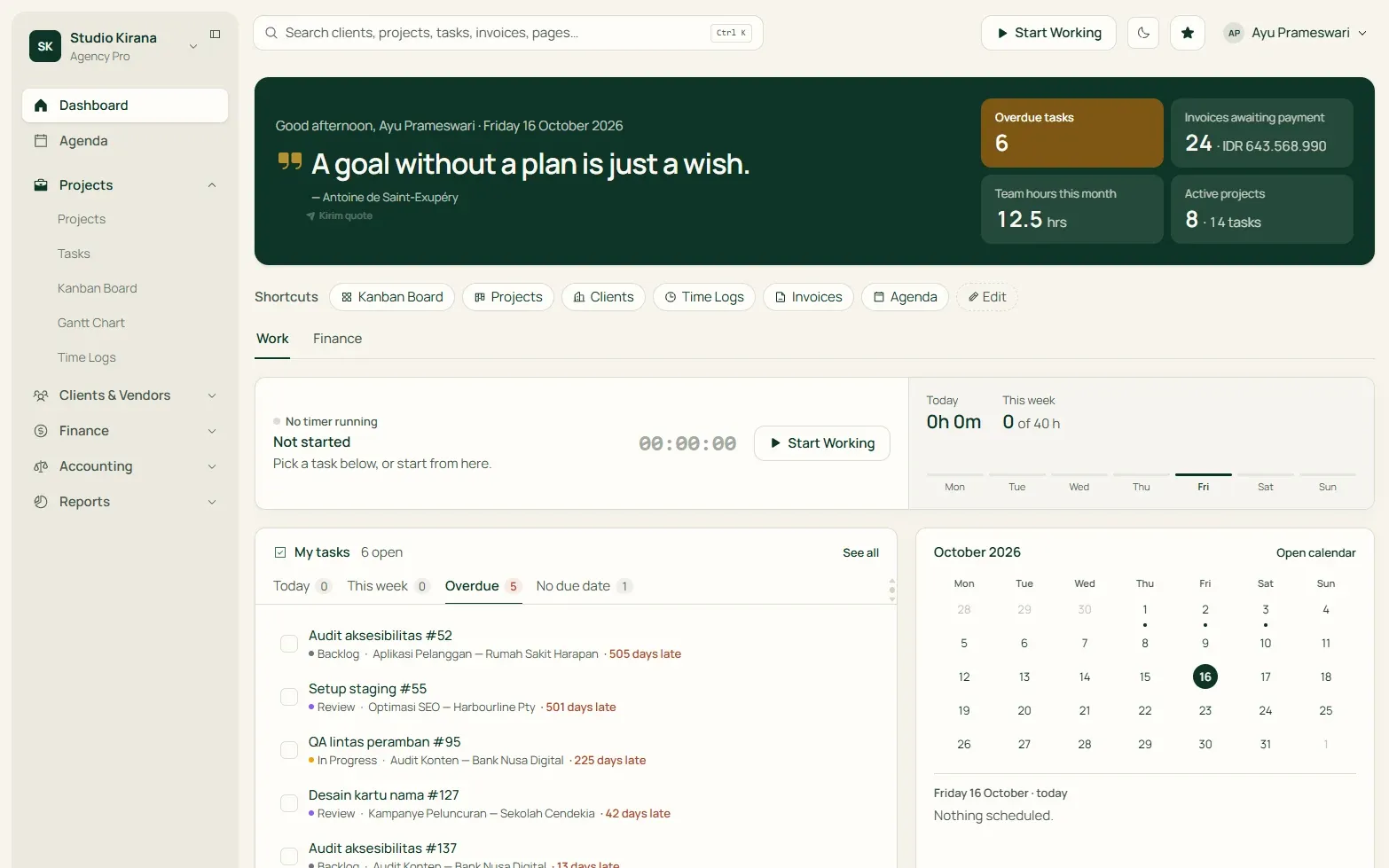
Service business challenges
Projects keep moving, but results are hard to pin down.
Hours add up and invoices wait to be paid. Without connected data, it's hard to tell which work has turned into revenue, how much money hasn't come in yet, and what needs following up.
The real question
How much have you earned, and how much is still owed?
Clients keep asking, where's the project at?
Clients see progress, schedules, tasks, and comments right in the portal, without waiting for a report from you.
Hours and fees slipping through unbilled?
Invoice clients for unbilled hours and fixed fees, and the financial transactions are recorded automatically.
Invoice sent, but when will it be paid?
From draft to paid, every invoice's status is always clear. Receivables aging shows which ones to follow up first.
Bookkeeping a headache?
Record invoices and expenses as usual. Journal entries and financial reports come together automatically, ready for you to read and understand.
The Tumra flow
Every part of your business flows into the next.
One record moves through the whole business. Follow it from the first client conversation to the number sitting in your books.
01 · Clients
Know every client at a glance.
Contacts, rates, notes, and history in one place. Every project, hour, and invoice lands in the client’s record automatically, so you always know what’s still unbilled.
See Clients & CRM →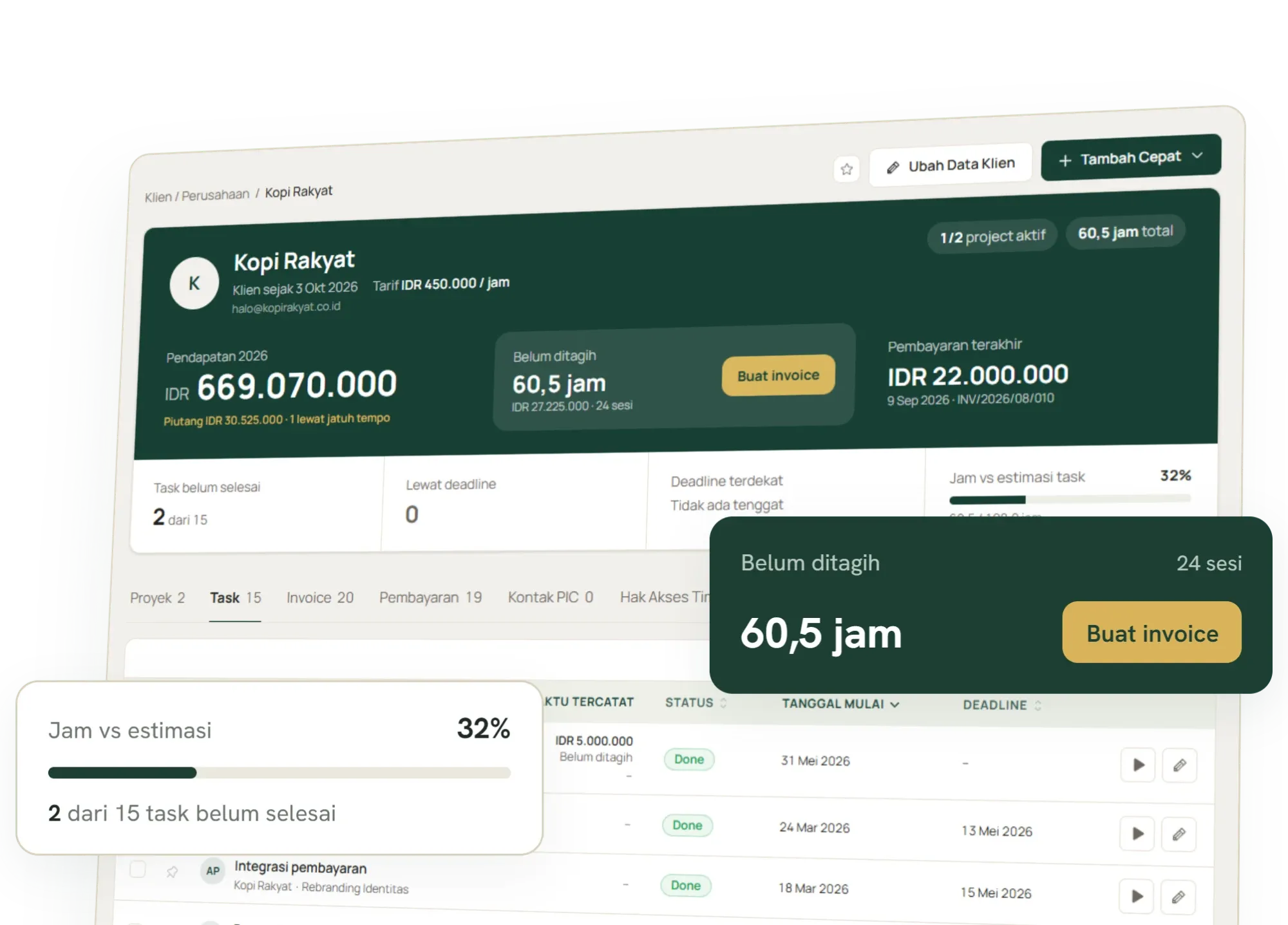
02 · Projects & tasks
Plan the work. Watch the budget.
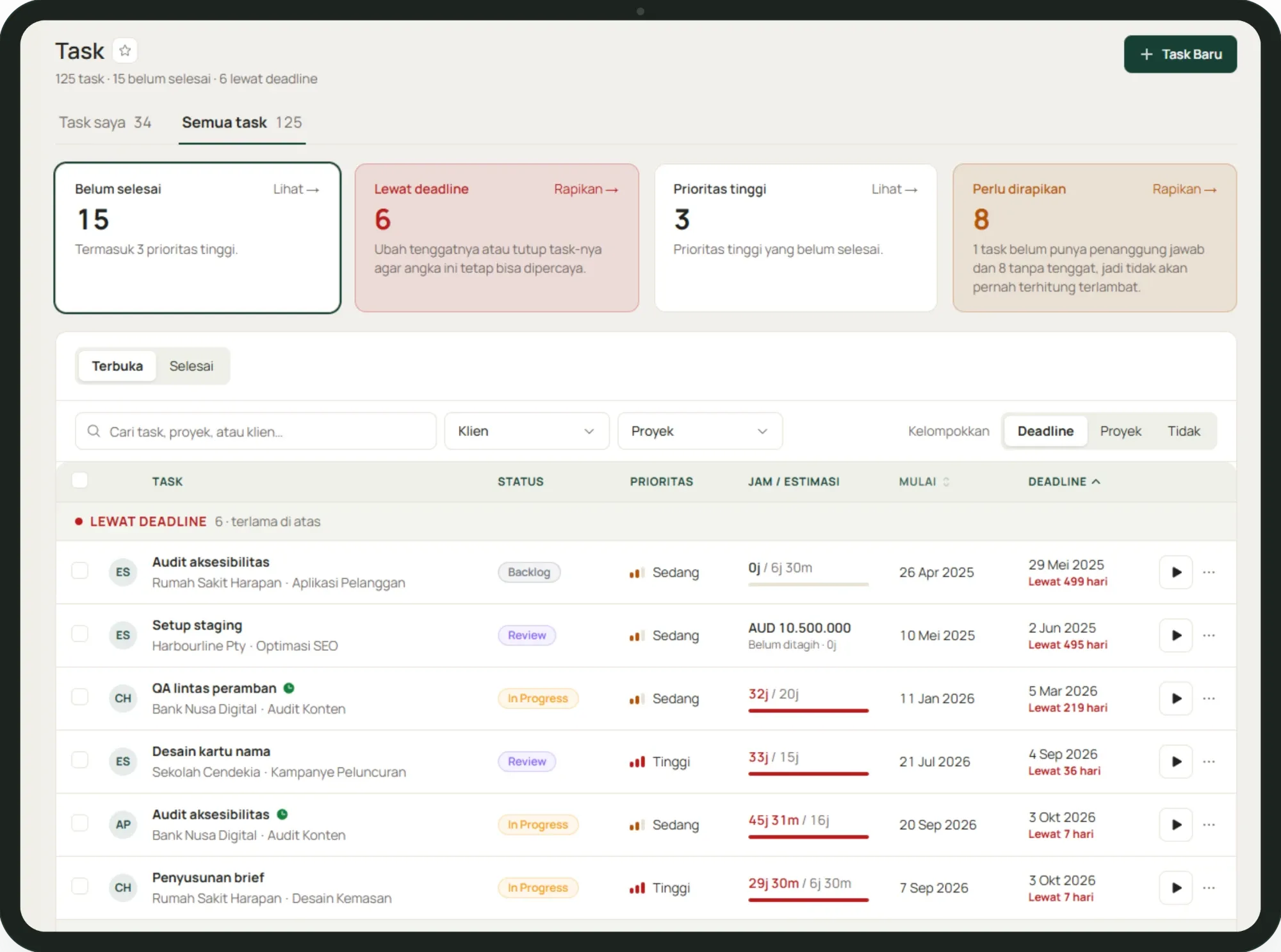
Create a project for a client, break it into tasks, and track it on a kanban board or Gantt chart. Budget and progress sit side by side, so you spot overruns early.
See Projects & tasks →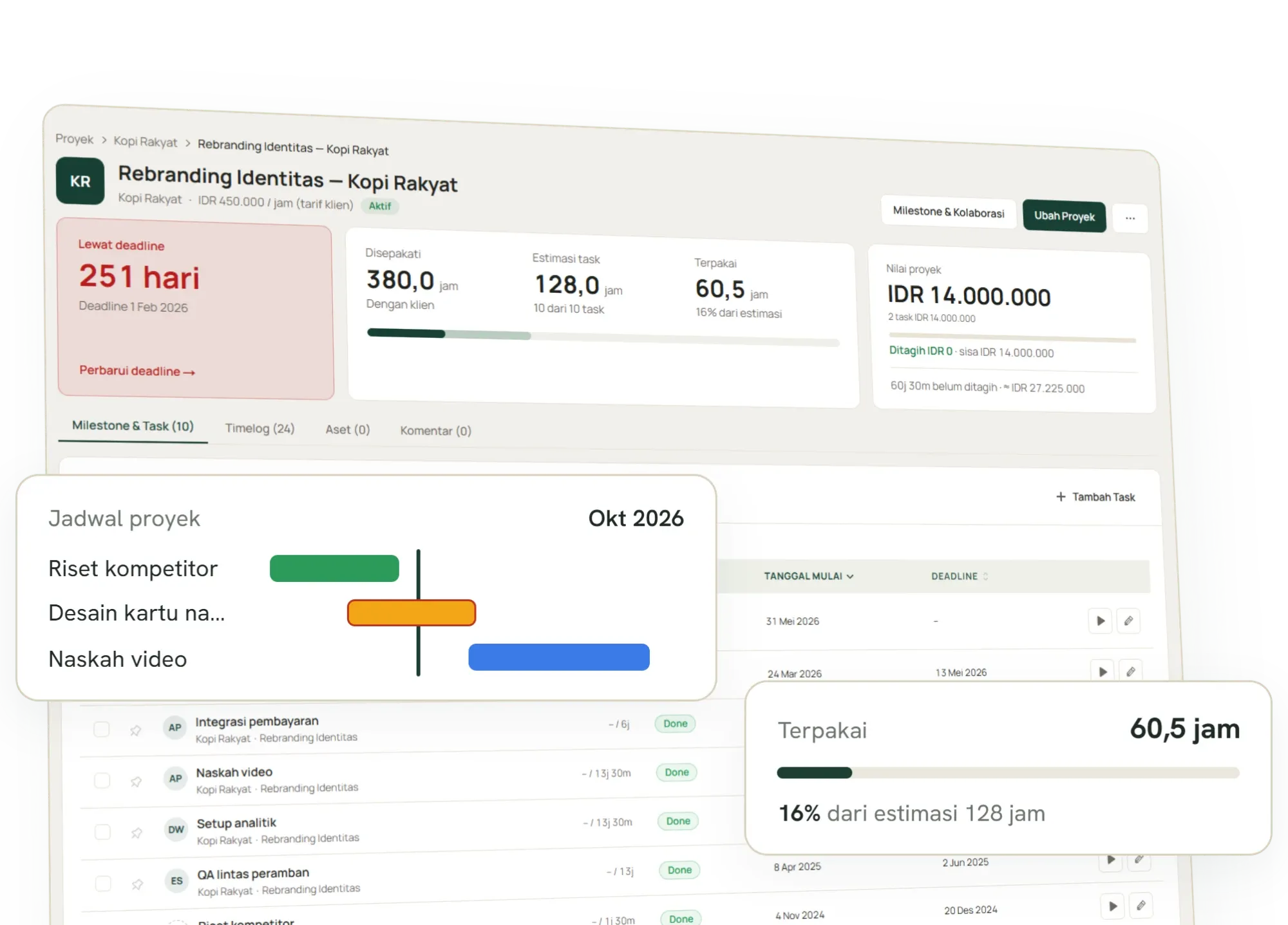
03 · Time tracking
Track time and fees on every task.
Start a timer on a task or enter time after the fact. Each entry already knows the client, the project and the rate it should bill at. Billable hours and fixed-fee tasks are ready to invoice.
See Time tracking →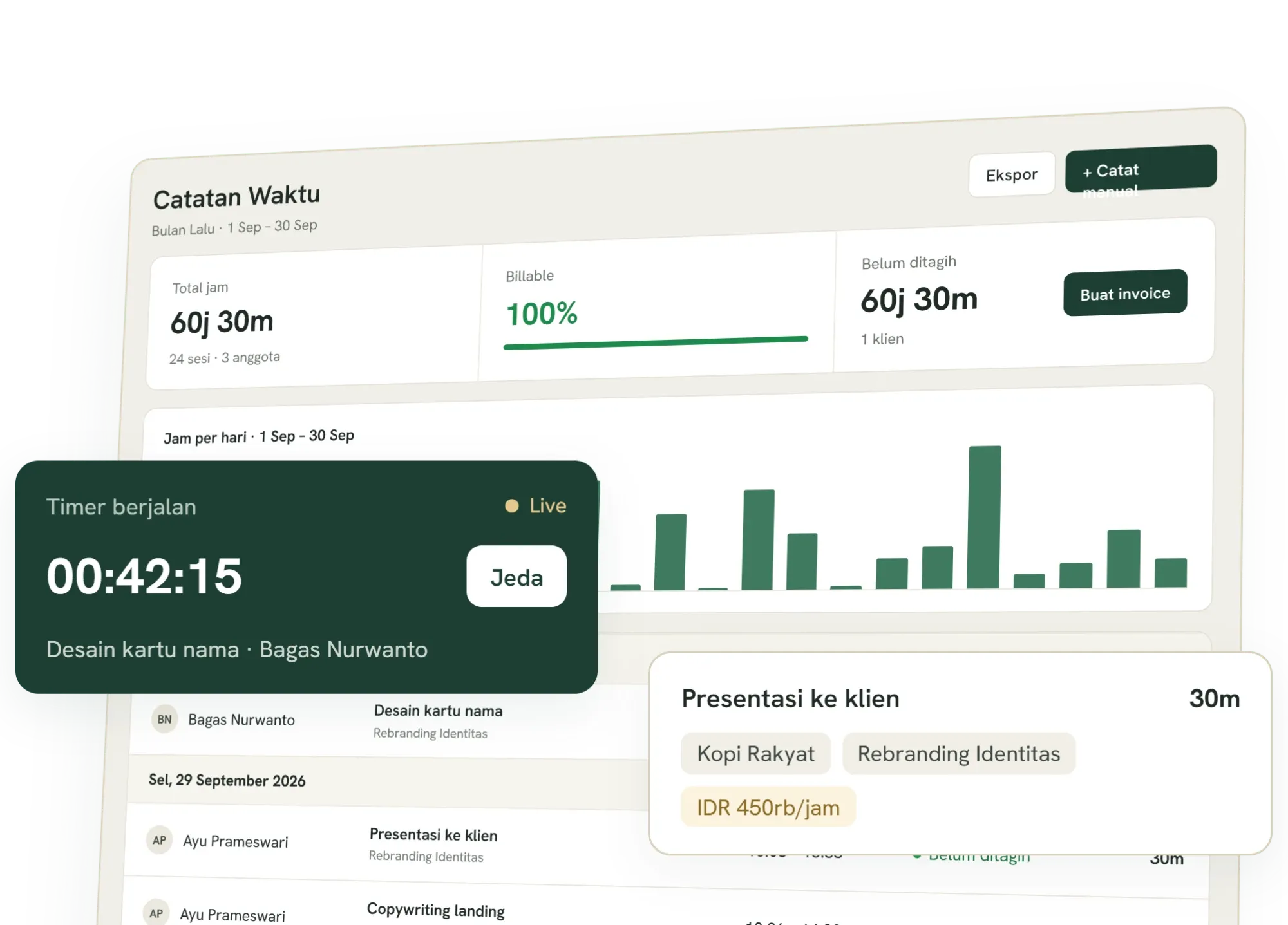
04 · Invoicing
Turn your work into invoices, without the extra math.
Choose a period, add billable hours and fixed-fee tasks, review everything in one place, then send your invoice. No more copying details into another app and hoping the totals add up.
See Invoicing →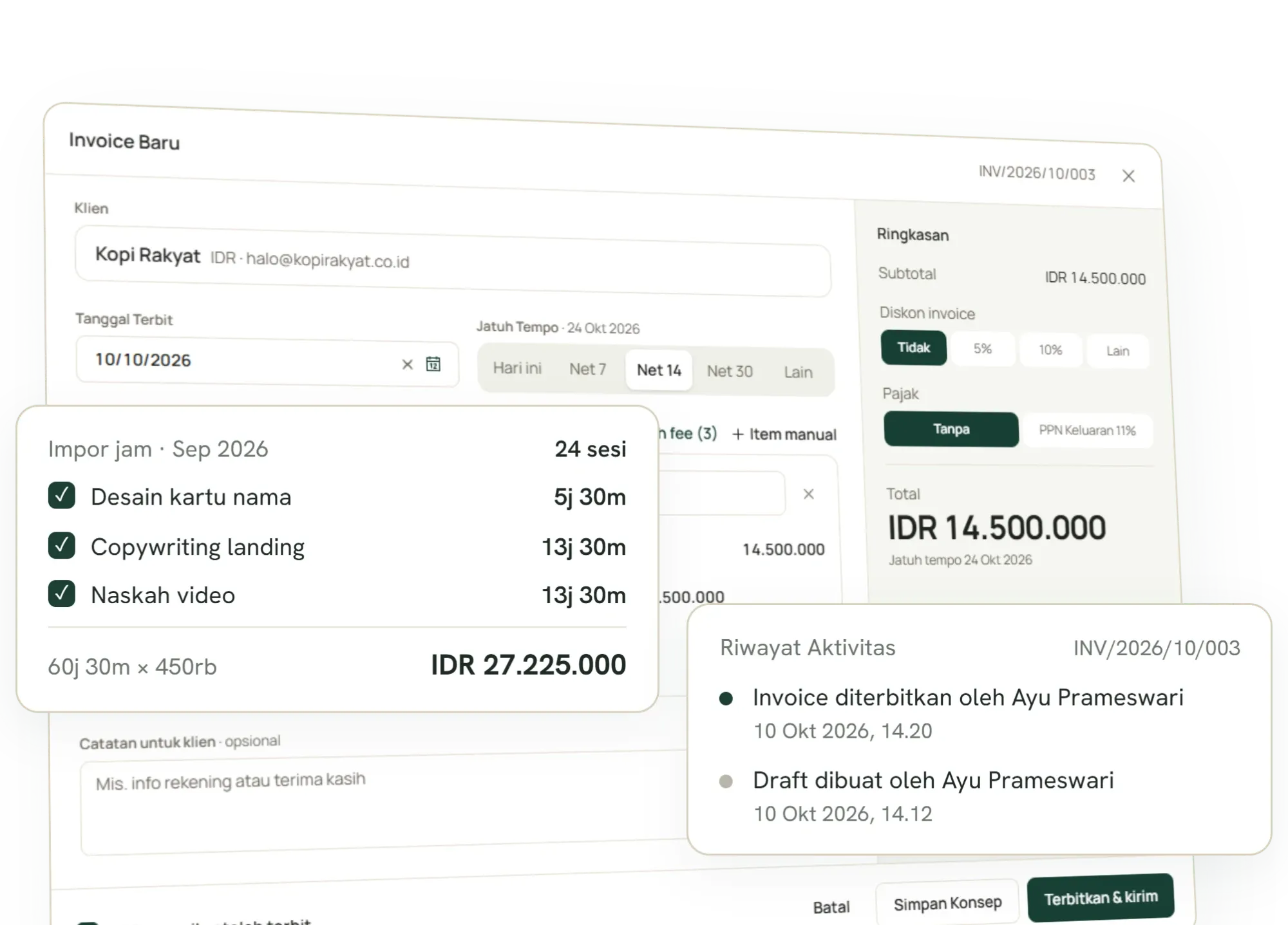
05 · Payments
Money in and money out, all in one place.
Record a client payment and the invoice status updates itself. Keep every expense with its receipt. It all flows straight into your books, so you always know who hasn’t paid and where the money went.
See Payments & expenses →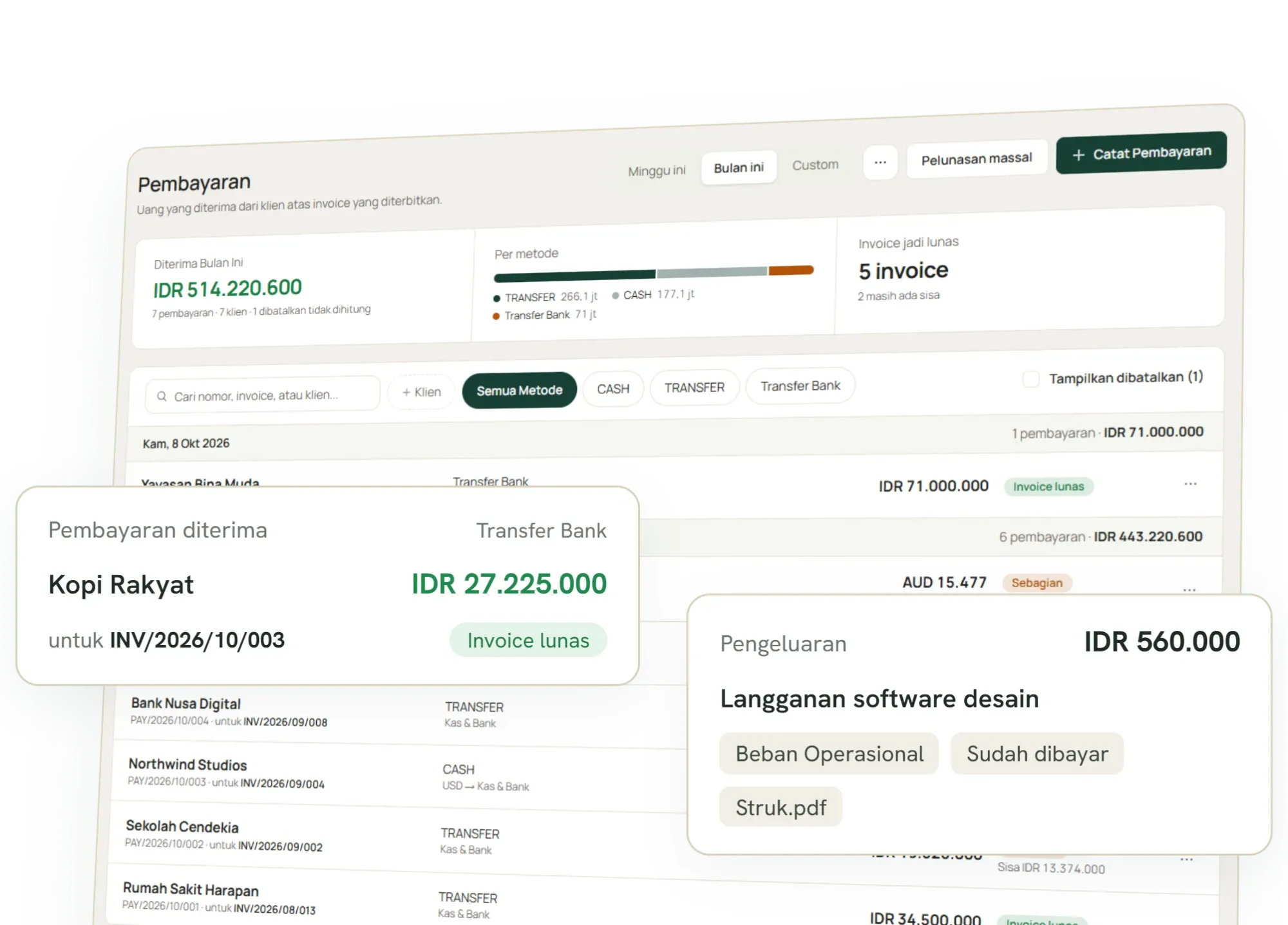
06 · Accounting
Effortless accounting that runs in the background.
Skip the end-of-month manual entry. Your sales and expenses automatically map to the general ledger and income statement in real time. Review your financial health at any time, zero spreadsheet magic required.
See Accounting →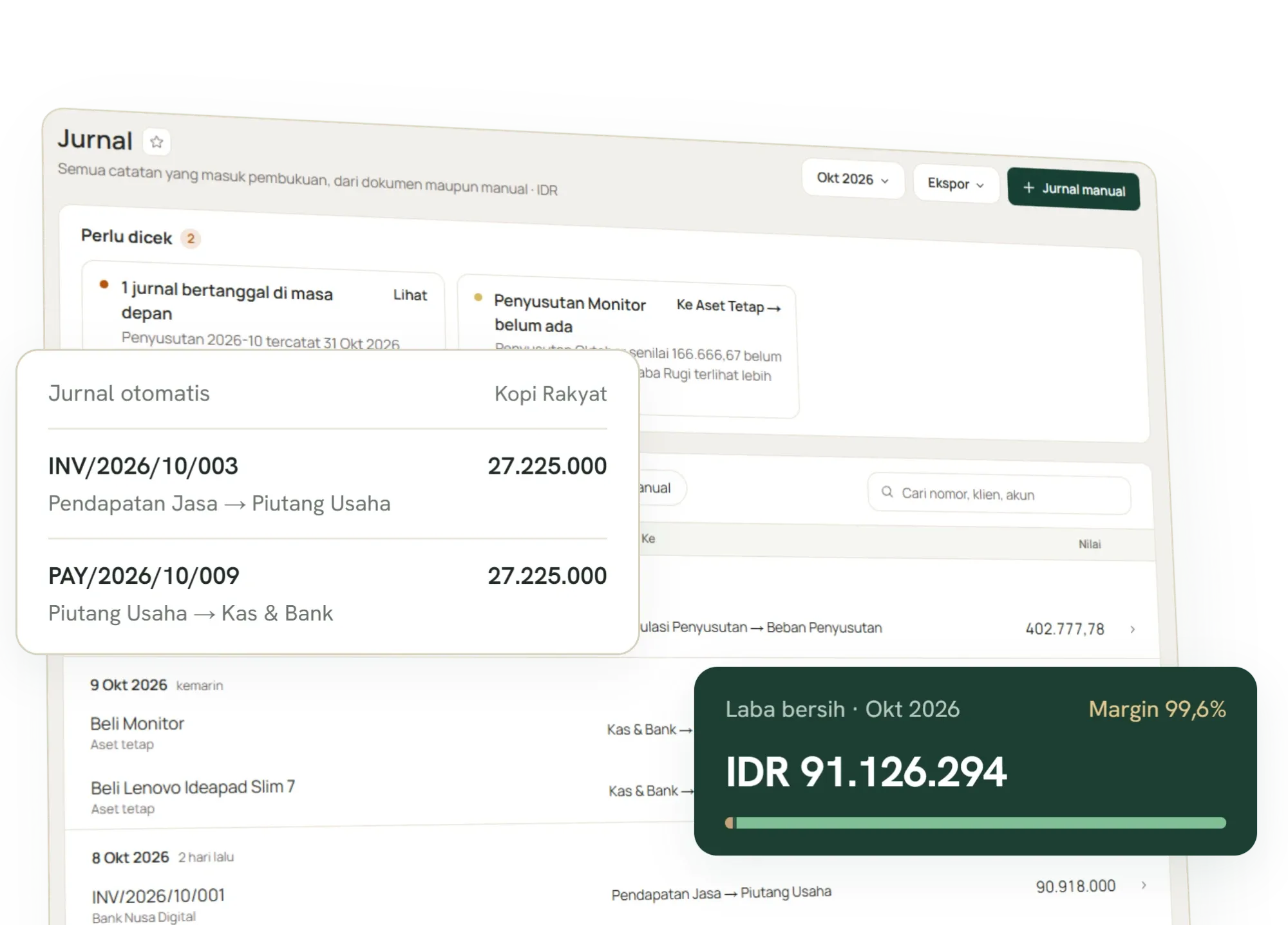
Clients & Projects
Keep project scope and budgets under tight control.
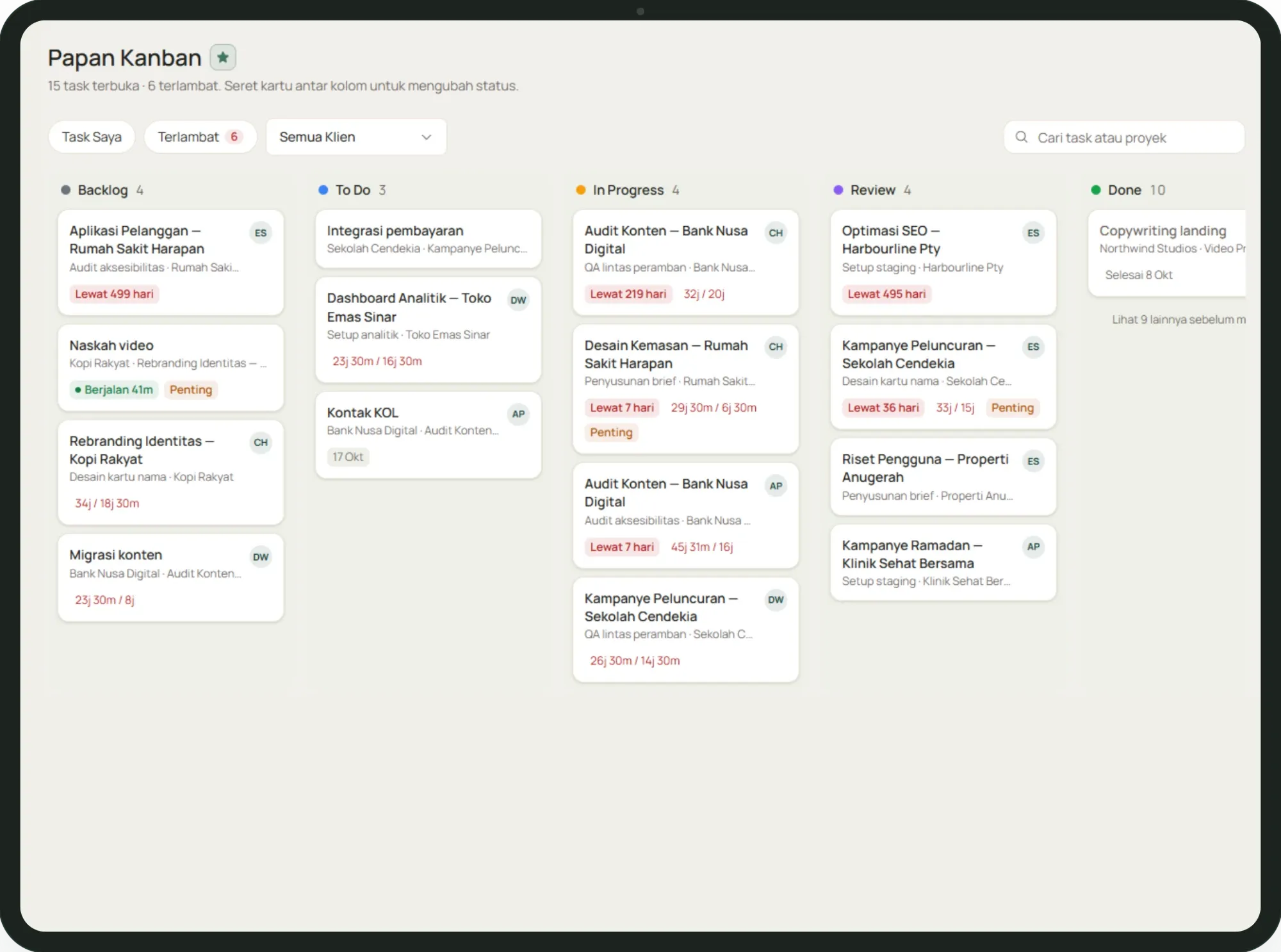
Tasks & kanban
Effortless workflow management for your entire team.
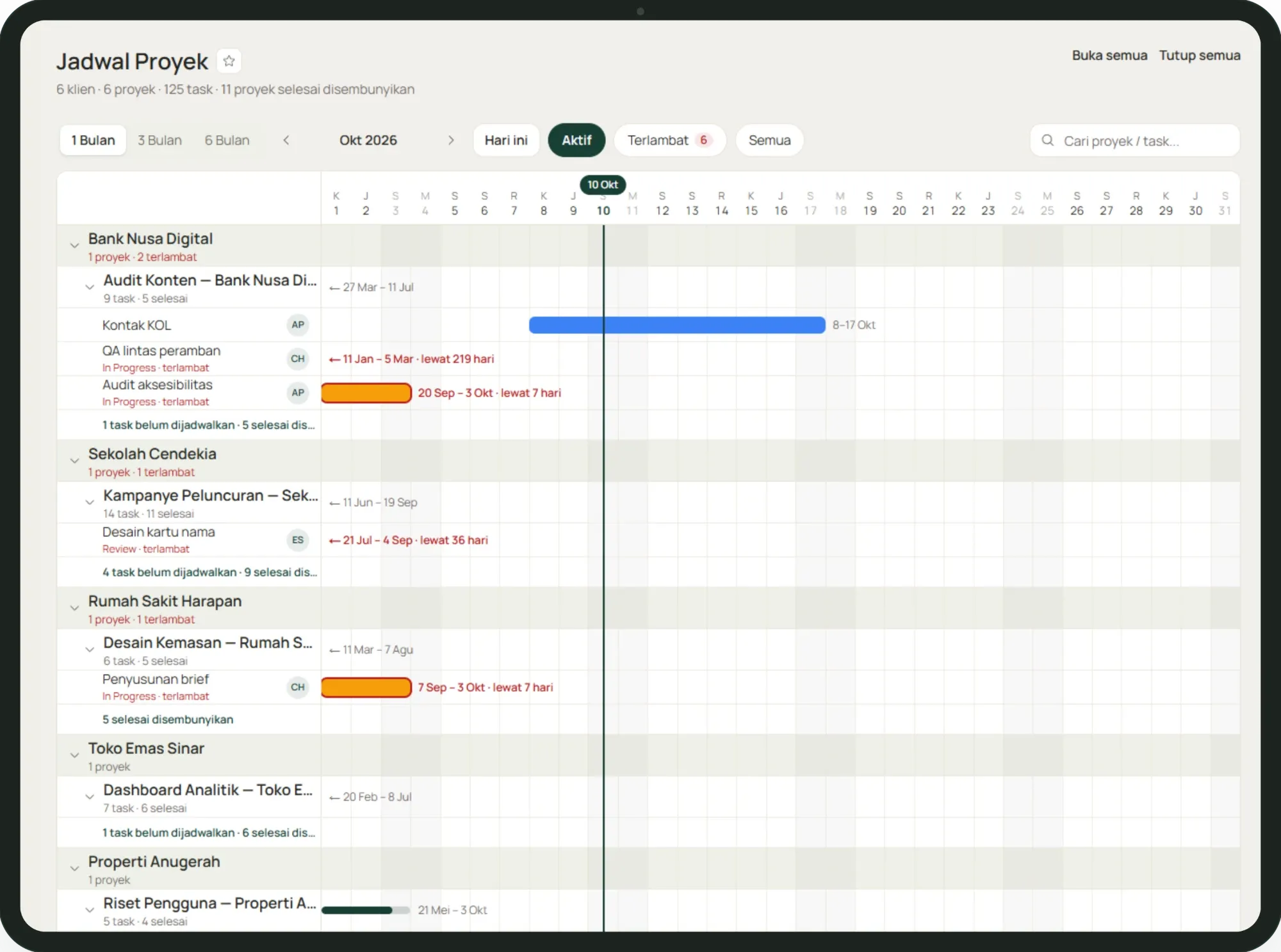
Gantt chart
The big picture of your project, clear at a glance.
Time tracking
Log hours on the task itself.
Timers and manual entries attach to the task, carry the billable flag, and already know which rate applies.
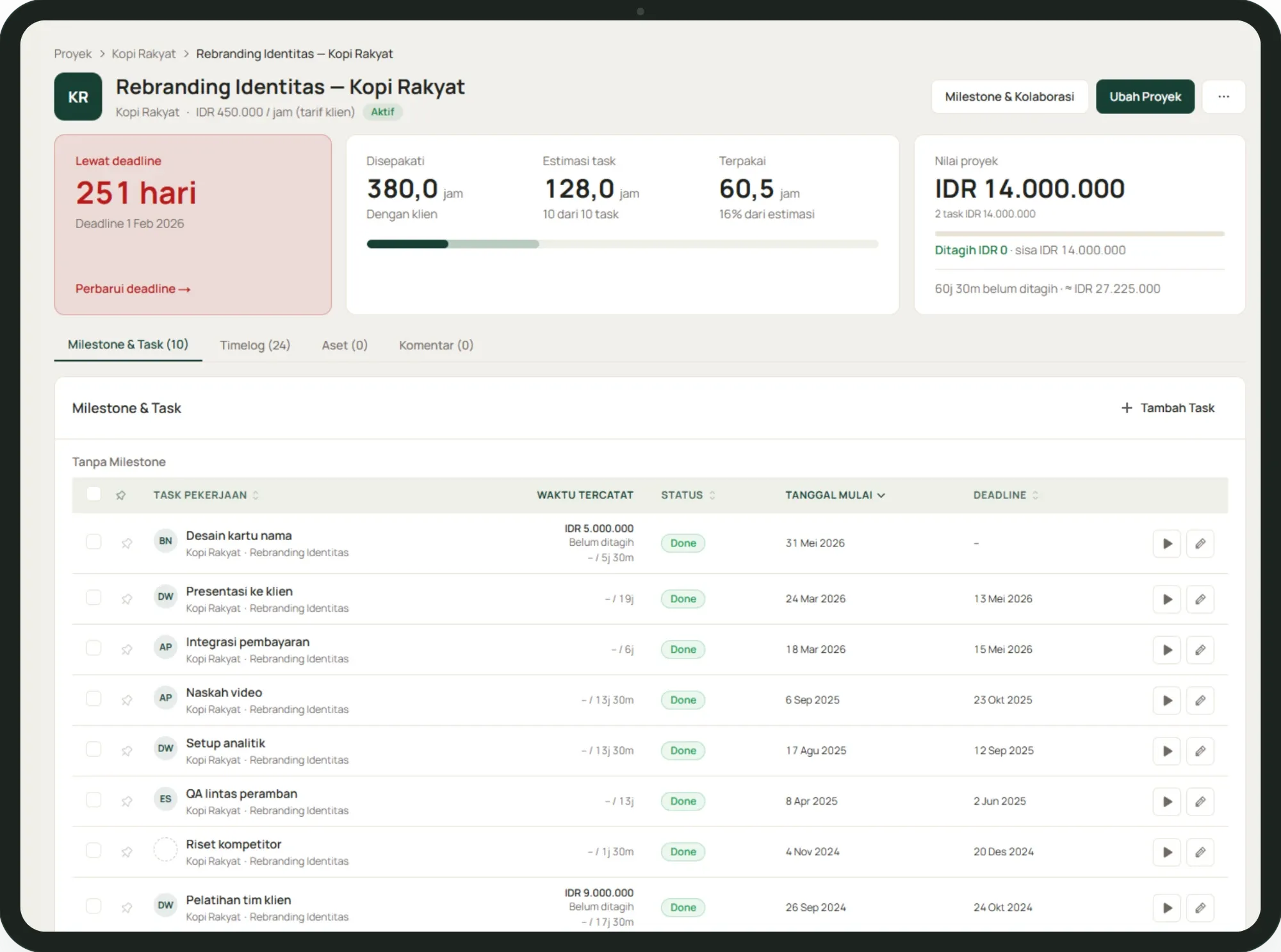
Budget & billing
Watch budget burn as the work happens.
Logged time and expenses run against the project budget in real time, and the billable portion is one click from an invoice.
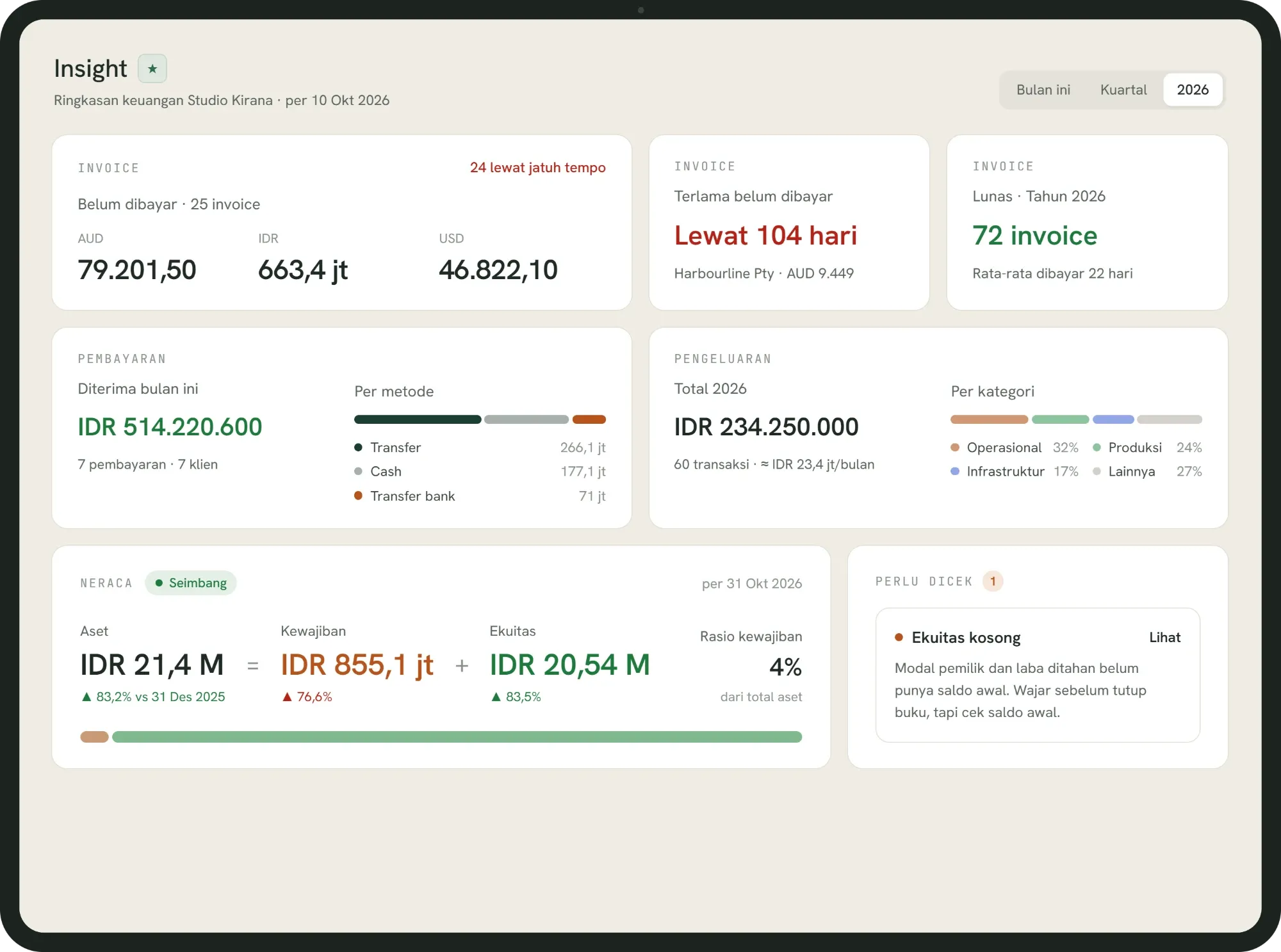
Insight
Your business, explained back to you.
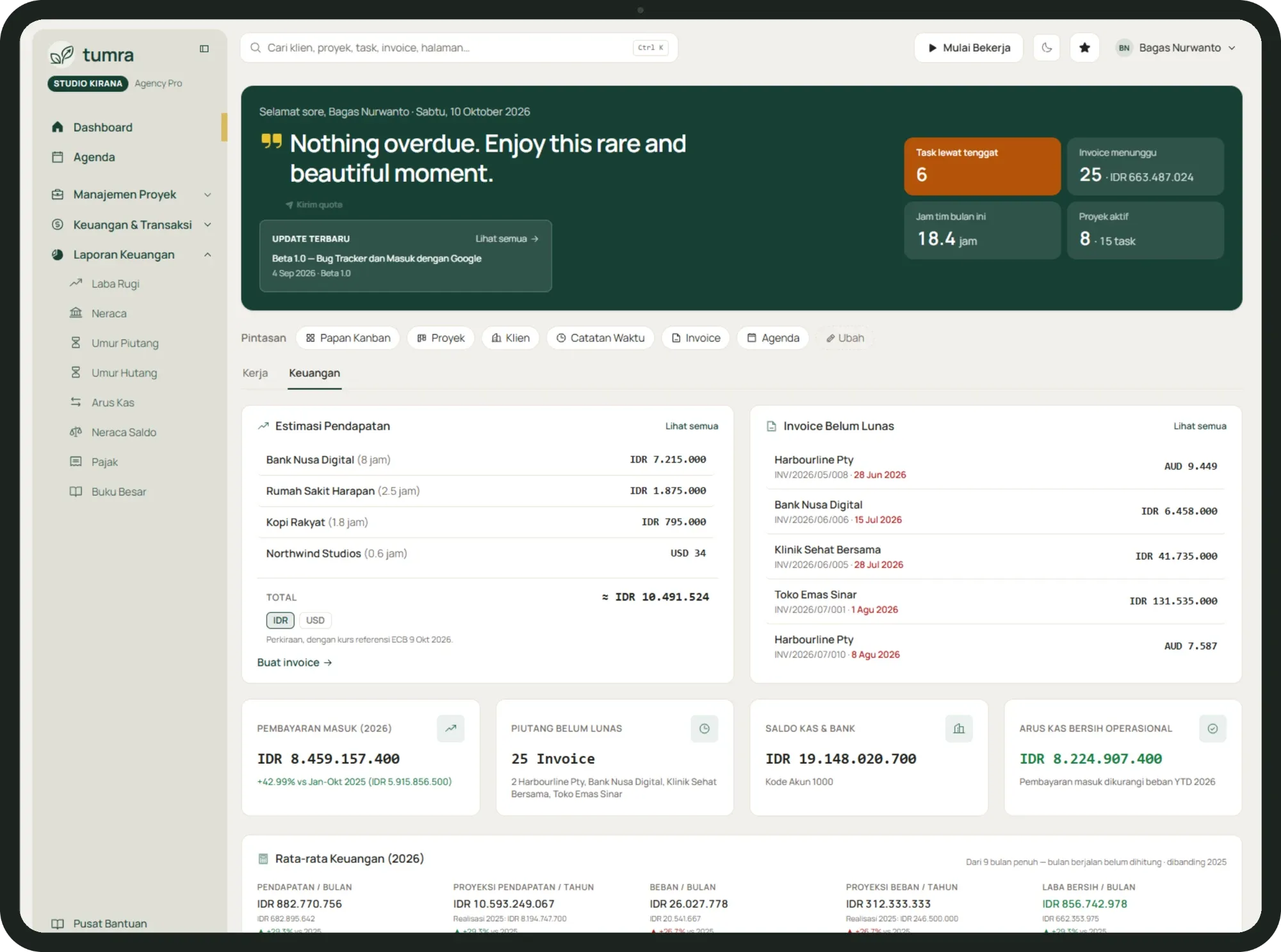
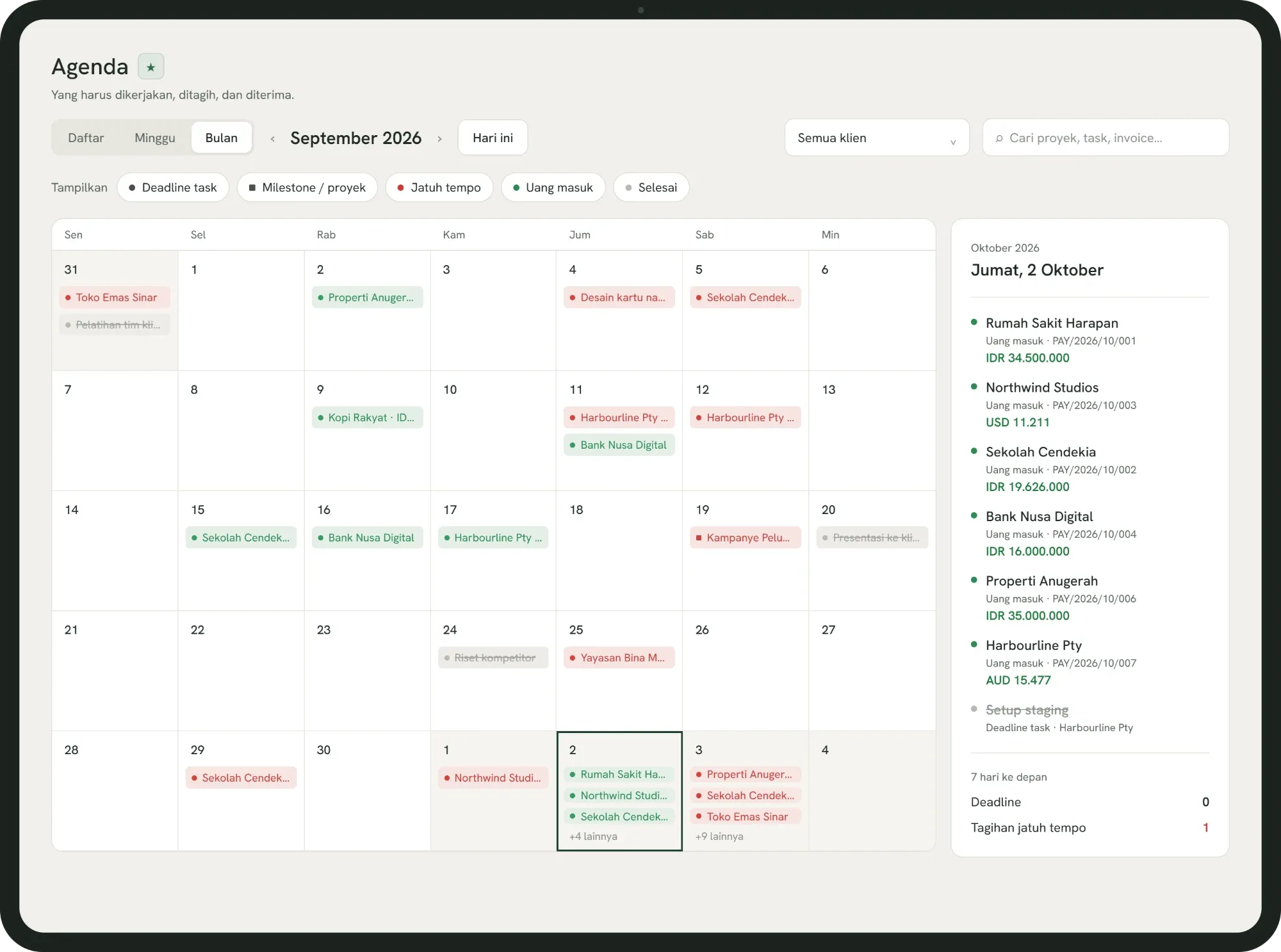
Tumra assistant
An assistant that understands your business.

Your AI. Your choice.
- TUMRA AI
Ready to use
Buy tokens in Tumra and start asking, with no extra setup.
- BYOK
Bring your own model
Point Tumra at your own provider and key. Nothing runs through a model you have not chosen.
- MCP
From the AI you already use
Reach Tumra context from Claude, ChatGPT or any other tool that supports MCP.
Scoped permissionsGrant read only or read and write per connector, and revoke access at any time from settings.
Pricing
Simple, transparent pricing.
30-day free trial on all plans. No credit card required.
- Freelancer
For freelancers: unlimited clients and full financial reports.
Try free for 30 daysRp129,000Rp1,290,000/month/year
Cancel anytime2 months free vs monthly
- Users
- 1
- AI credits/mo
- Your own key
- Unlimited clients & projects
- Full financial reports
- Email invoices
- Your own API key & MCP
- PDFs without Tumra branding
- Up to 3 users in total
- AgencyMost popular
For agencies with a team, the AI assistant and roles.
Try free for 30 daysRp349,000Rp3,490,000/month/year
Cancel anytime2 months free vs monthly
- Users
- 3
- AI credits/mo
- 300
Everything in Freelancer, plus
- AI assistant
- Client portal with your logo
- Team, roles & permissions
- Unlimited extra users
- Agency Pro
For growing agencies: more users, more AI credits and professional invoice templates.
Try free for 30 daysRp699,000Rp6,990,000/month/year
Cancel anytime2 months free vs monthly
- Users
- 8
- AI credits/mo
- 1,000
Everything in Agency, plus
- Ringkas & Kolom invoice templates
- Retail StarterNew
For shops getting started: register, stock, purchasing and books at one location.
Try free for 30 daysRp179,000Rp1,790,000/month/year
Cancel anytime2 months free vs monthly
- Users
- 2
- Checkouts
- 1
- AI credits/mo
- Your own key
- Register, stock, batches & expiry
- Customers, groups & store credit
- Purchasing from suppliers
- Accounting, reports & tax
- Your own API key & MCP
- Up to 3 users in total
- RetailMost popular
For shops and distributors: wholesale, an online store and the AI assistant.
Try free for 30 daysRp349,000Rp3,490,000/month/year
Cancel anytime2 months free vs monthly
- Users
- 3
- Checkouts
- 2
- AI credits/mo
- 300
Everything in Retail Starter, plus
- Wholesale: quotes, orders & delivery notes
- WooCommerce (1 store)
- AI assistant
- Unlimited extra users
- Retail Pro
For growing goods businesses: more users, locations and AI credits.
Try free for 30 daysRp699,000Rp6,990,000/month/year
Cancel anytime2 months free vs monthly
- Users
- 6
- Checkouts
- 5
- AI credits/mo
- 1,000
Everything in Retail, plus
- WooCommerce, up to 3 stores
- Ringkas & Kolom invoice templates
- BisnisGoods + services
For businesses selling services and goods: time, stock and books in one place.
Try free for 30 daysRp499,000Rp4,990,000/month/year
Cancel anytime2 months free vs monthly
- Users
- 4
- Checkouts
- 2
- AI credits/mo
- 300
Everything in Retail, plus
- Projects, tasks & time tracking
- Client portal with your logo
- Bisnis Pro
For growing mixed businesses: more users, locations and AI credits.
Try free for 30 daysRp899,000Rp8,990,000/month/year
Cancel anytime2 months free vs monthly
- Users
- 8
- Checkouts
- 5
- AI credits/mo
- 1,000
Everything in Bisnis, plus
- WooCommerce, up to 3 stores
- Ringkas & Kolom invoice templates
Also sell services?
Only sell goods?
Free, forever
Up to 3 clients and 15 projects for one user: projects, time, invoices, automatic bookkeeping and your financial figures on the dashboard.
Free, forever
One user, one till, 100 products and 500 sales a month: register, stock, purchasing, store credit and automatic bookkeeping.
All prices in Indonesian Rupiah. Extra users, checkout locations, and AI credits can be added at any time.Compare all features
FAQ
Common questions.
Is Tumra accounting software?
Yes. Invoices, payments and expenses are booked as double-entry journals automatically and roll up into the Profit & Loss, Balance Sheet, Cash Flow, Trial Balance and General Ledger. The difference is that Tumra also runs the work behind them, such as projects, time, stock and the counter, and it does not produce tax invoices, tax returns or billing codes for the Indonesian tax office.
Is Tumra a good fit for my business?
Tumra is built for service businesses (agencies, studios, consultants, freelancers), for businesses that sell goods, and for those that do both. The plans follow that split: Freelancer and Agency for services, Retail for stock, purchasing and the counter, and Bisnis for services and goods together. There are two free plans to start with: Free for services (3 clients, 15 projects) and Retail Free for shops (100 products, 500 sales a month).
Can I still work with my accountant?
Yes. On a plan with team management, add your accountant in Settings → Team & Users with the Finance role, which covers invoices, payments, expenses, journals and reports. Reports such as Profit & Loss, Balance Sheet, Journals and the Tax page can also be exported to Excel for your accountant or tax consultant.
Do I have to use the AI features?
No. Everything in Tumra works without AI, and the Free, Retail Free and Freelancer plans don’t include the built-in assistant at all. On plans that do, you can switch it off with Assistant on in Settings → Tumra Assistant (AI).
Is my data safe?
Each workspace’s data is kept separate, and roles decide who can see finances and who only sees the projects assigned to them. Passwords are stored as hashes rather than plain text, and any API keys you save are encrypted. Posted bookkeeping can’t be quietly deleted: corrections are always made as new journal entries that stay visible.
Tumra Retail
Running a shop, not projects? There's Tumra for that.
Tumra Retail is built for businesses that sell goods. Point of sale, stock, purchasing from suppliers, and cost of goods are connected, so every product's profit shows in your day-to-day transactions.
- Point of sale (POS)
- Multi-location stock
- Purchasing
- Automatic COGS
Get started
Log it once. Invoice it, book it, see the profit.
Free forever · No credit card · Upgrade anytime