

Time tracking
Every hour logged, every billable hour invoiced.
Run a timer while working or log sessions afterwards. Every session links to a task, and unbilled billable hours wait until you pull them into an invoice at project or client rates.
Available on the Free, Freelancer, Agency & Bisnis plans.
Before and after
Hours never logged never get billed.
Hours guessed at month-end, then totaled manually before building invoices. Forgotten hours vanish, and already-billed hours risk being invoiced twice next month.
Before
4 steps
- Phone stopwatchEveryone · forget to start it, the hours are gone
- Paper notesTeam · hours guessed at the end of the month
- Spreadsheet tallyAdmin · everyone's notes retyped
- Manual sumsAdmin · billed hours can get billed again
Timer
Homepage, revision 2
Billable- Timer running on the task1:24:36
- Forgotten sessions logged later
- Hours gathered in Time Logs50 hours
- Hours pulled into the invoice44 hours
How it works
From the first timer to an invoice line item.
01 · Start
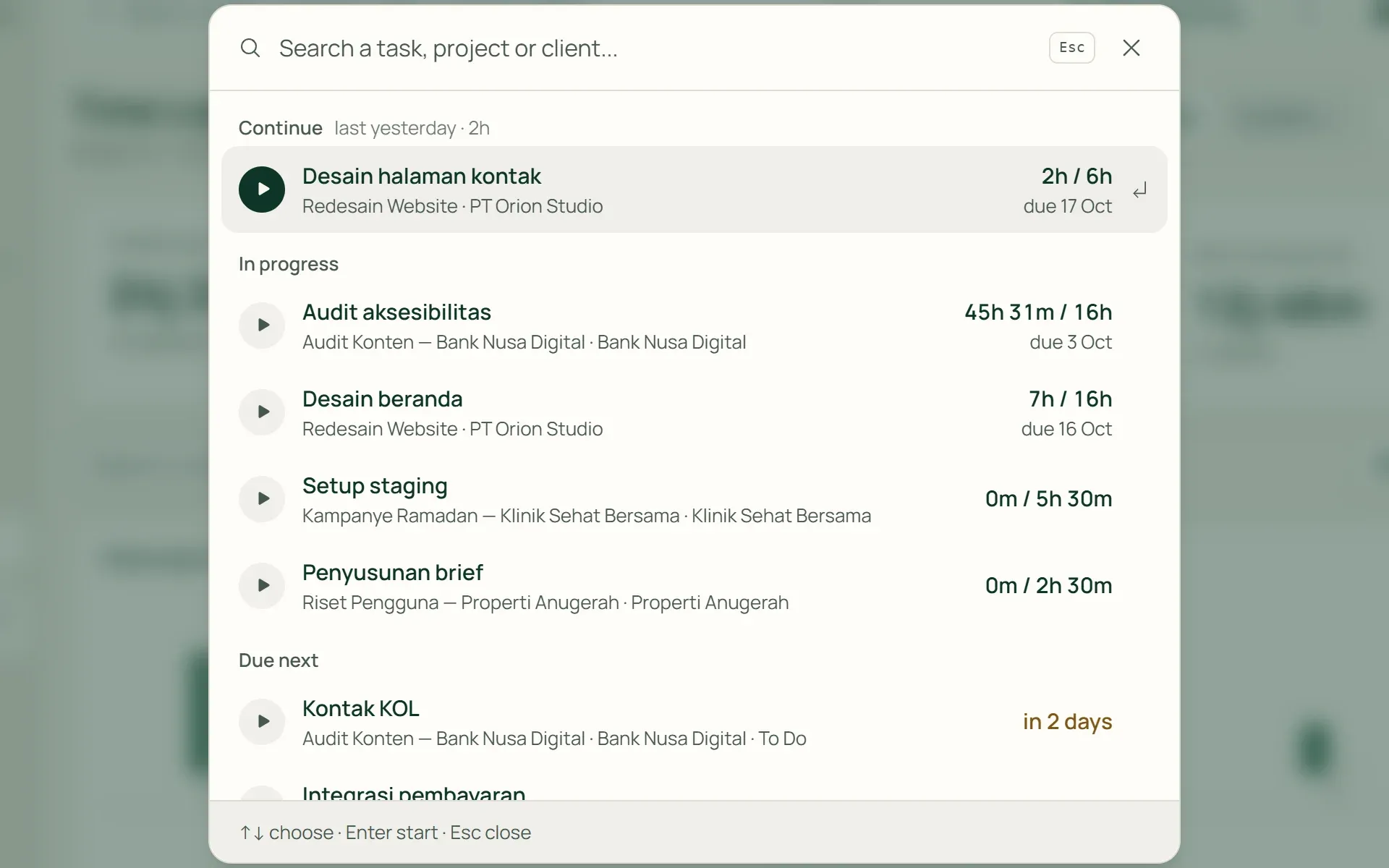
Start a timer from any page.
Click Start Work at the top of any screen. Tumra suggests your most recent tasks, active work, and nearest deadlines. Or search by task, project, or client. Pause and resume anytime.
- Resume
- Nearest deadline
- Pause
02 · Save
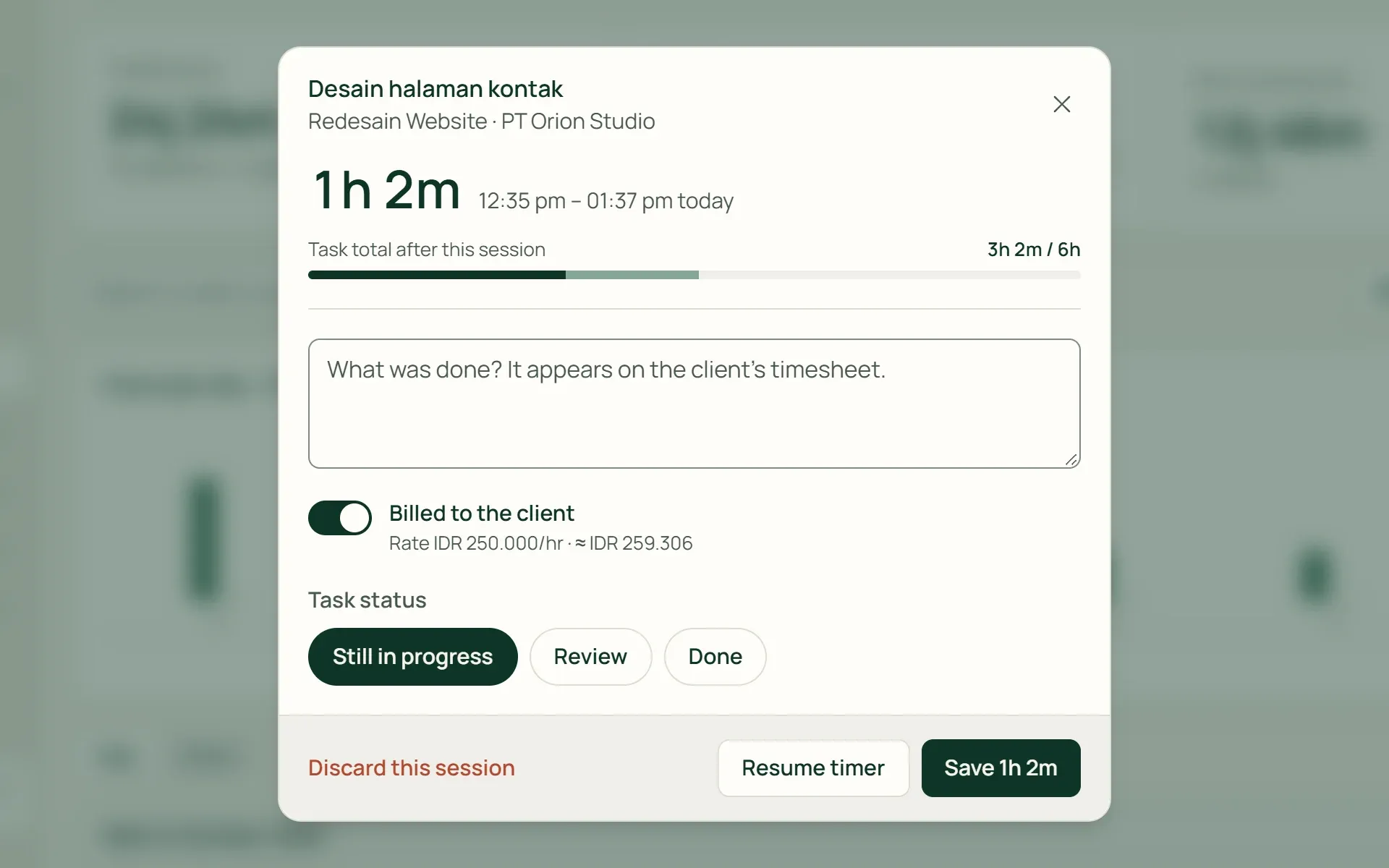
Note what you worked on, then save.
When you stop, the timer pauses so your note-taking time is not counted. Choose whether the session is billable, review estimated value, and update task status all in one step.
- Billable to client
- Task status
- Discard session
03 · Manual
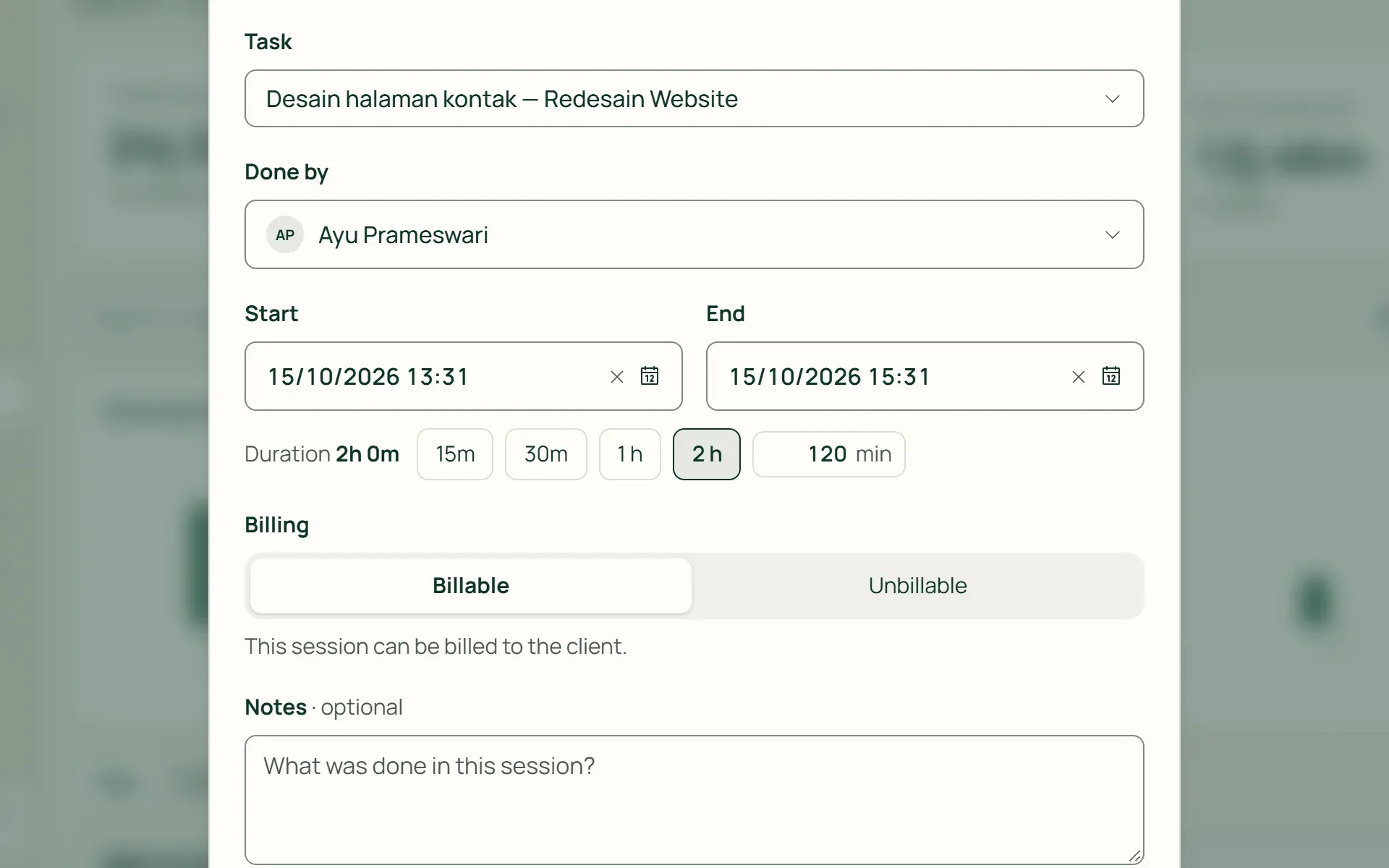
Forgot to start the timer? Log it later.
Select a task, start time, and duration: 15m, 30m, 1 hr, 2 hrs, or enter a custom duration. Owners, admins, and project managers can log time for team members. Staff log their own hours.
- Quick durations
- For team members
04 · Reports
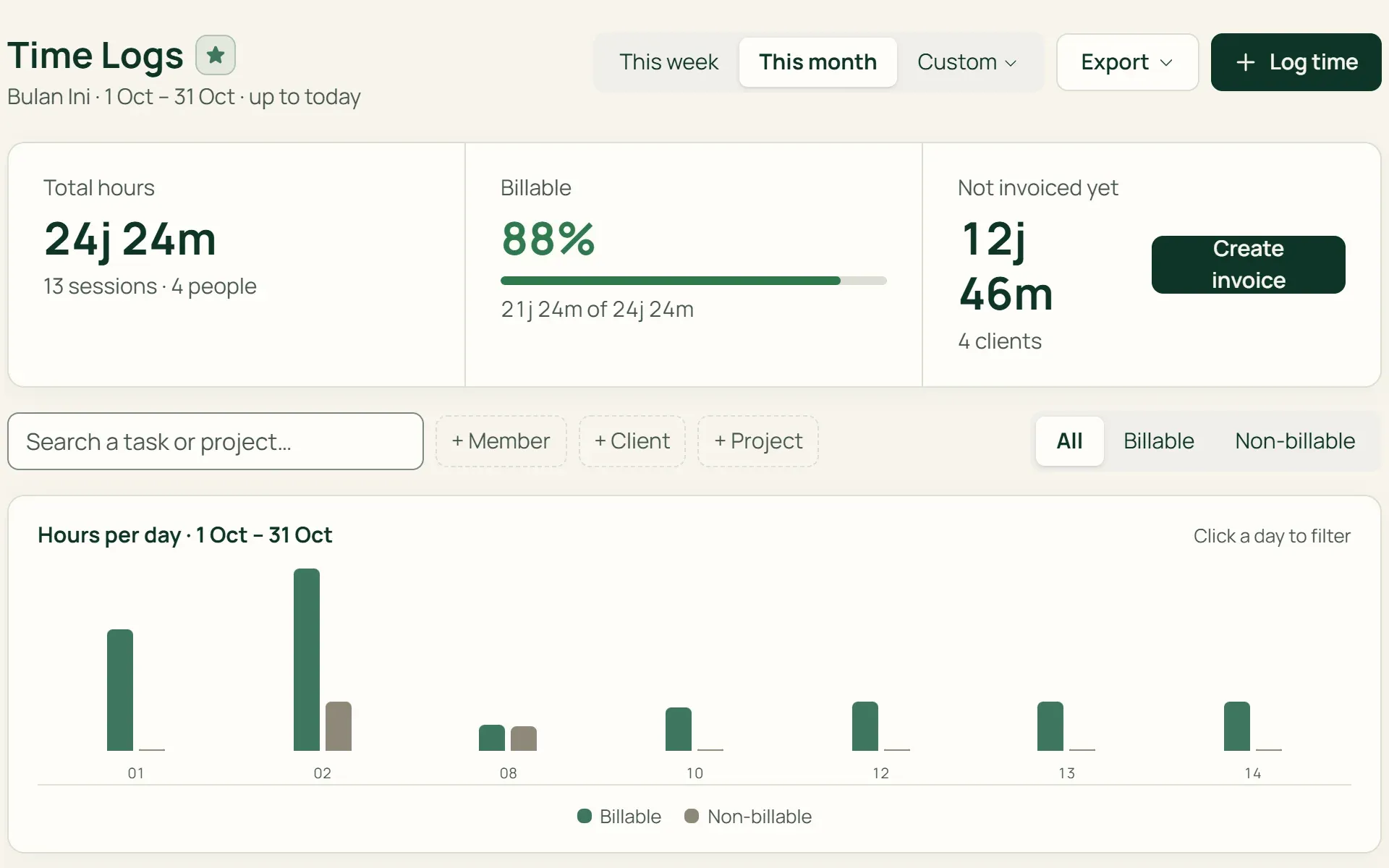
See where team hours go.
Time Logs displays total hours, billable, and non-billable time per period. Filter by member, client, project, or billing status, view by day or client, and export to Excel or print.
- Hours per day
- By client
- Excel export
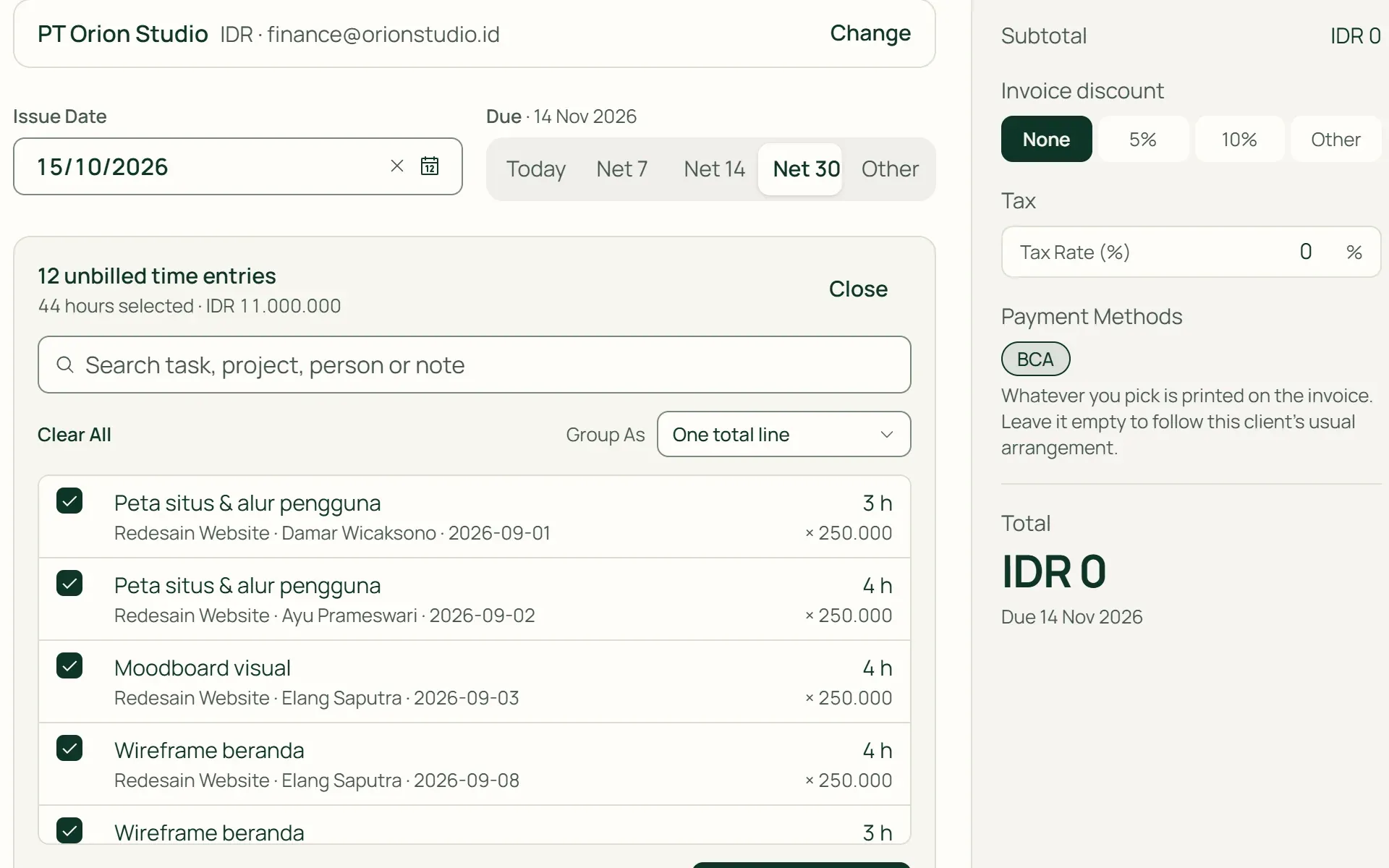
05 · Bill
Pull unbilled hours into an invoice.
In invoice creation, press Import hours. All unbilled billable hours appear with rates. Group into a single line, by project, or by task. Once invoiced, hours cannot be billed again.
- Single line total
- By project
- By task
Capabilities
Working time turned into revenue.
Persistent timers across devices
Timers sync to your user account, not your local browser. Close the tab or open from another computer, your timer keeps ticking.
Billable or non-billable per session
Tasks billed by time log carry hours into invoices. Individual sessions can still be marked non-billable, like internal bug fixes.
No double-billing
Every invoiced hour links directly to its invoice. Cancel the invoice, and hours return automatically to the unbilled queue.
Estimates vs actual hours
The project view compares agreed hours, total task estimates, and logged hours, alerting you when logged time passes estimates.
Team capacity at a glance
The dashboard shows who is working on what, hours logged since Monday, and scheduled tasks against individual capacity.
Retainers with included hours
On retainer projects, monthly hours are tracked against the allowance included in the fee. Once exceeded, Tumra alerts you.
Logged hours connect across your workspace.
Projects & tasks
Every session links to a task, and hours roll up across tasks, milestones, and projects.
Learn more →Invoicing & billing
Unbilled billable hours pull directly into invoices at project or client rates.
Learn more →Client portal
Authorized client contacts can view timesheets for their own projects.
Learn more →
Plans
Time tracking in every plan.
Retail Starter and Retail plans are designed for retail businesses and do not include time tracking.
| Feature | FreeRp 0/moRp 0/yr | FreelancerRp 129,000/moRp 1,290,000/yr | AgencyRp 349,000/moRp 3,490,000/yr | StarterRp 179,000/moRp 1,790,000/yr | RetailRp 349,000/moRp 3,490,000/yr | Business |
|---|---|---|---|---|---|---|
| Timer & manual logging | Included | Included | Included | Not included | Not included | Included |
| Time Logs & Excel export | Included | Included | Included | Not included | Not included | Included |
| Pull hours to invoice | Included | Included | Included | Not included | Not included | Included |
| Logging team members | 1 | 1–3 | 3 (Pro: 8) | Not included | Not included | 4 (Pro: 8) |
| Portal timesheet access | Not included | Not included | Included | Not included | Not included | Included |
FAQ
Frequently asked questions
Are all hours automatically billed?
No. Only billable sessions on tasks billed by time log under Hourly projects are eligible. Hours on Fixed Price, Retainer, or Non-billable projects are tracked for workload analysis but are never pulled into invoices. You choose which hours to import.
Which hourly rate is used?
The project hourly rate if specified, otherwise the client default rate. If both are blank, hours can still be pulled in and you enter the rate on the invoice. Rates apply per project or client, not per team member.
Can multiple timers run simultaneously?
No. Each team member has one active timer. Stop or pause the current timer before starting work on another task. Accidental timers can be discarded with one click.
Is there a desktop app, idle detection, or reminder?
Not yet. Timers run in the browser and sync to your account. Desktop/mobile apps, idle prompts, screenshots, and left-on reminders are not included. Overlong sessions can be edited in Time Logs.
Do timesheets require an approval workflow?
Timesheet approvals are not part of Tumra. Staff members log and edit their own hours, while owners, admins, and managers can edit any session. Task reviews (approve or send back) handle deliverable review.
Is time tracking included in Retail plans?
No. Retail Starter and Retail plans do not include time tracking. It is available in Free, Freelancer, Agency, and Business plans.
Start tracking hours today.
Try all Tumra features free for 30 days, no credit card required.