

Tumra Assistant & AI
Ask about your business, answered from your data.
Tumra Assistant reads your finances, receivables, projects, hours, or stock within your access rights, then answers with numbers from your own books. Ask for a draft task, project, client, or time log, and nothing is saved until you press Save.
AI credits on the Agency, Retail, and Bisnis plans. Freelancer and Retail Starter use your own API key.
Before and after
One question instead of five screens.
To find out which hours haven't been billed, you open the time logs, match them against invoices, then do the sums yourself. The assistant reads the same data and answers in one sentence.
Before
4 manual steps
- Open the reportOwner · open the time logs and the invoice list
- Filter the periodFinance · pick the month and client one by one
- Export to ExcelFinance · download, then paste into a spreadsheet
- Count by handOwner · match hours against invoices, do the sums
Tumra Assistant
What's ready to bill this month?
Answered- The page you're on is readPT Orion Studio
- Unbilled hours found6 hours
- Number card shownIDR 1,500,000
- Draft task waits for Save14 Oct
How it works
From a question to saved data.
01 · Ask
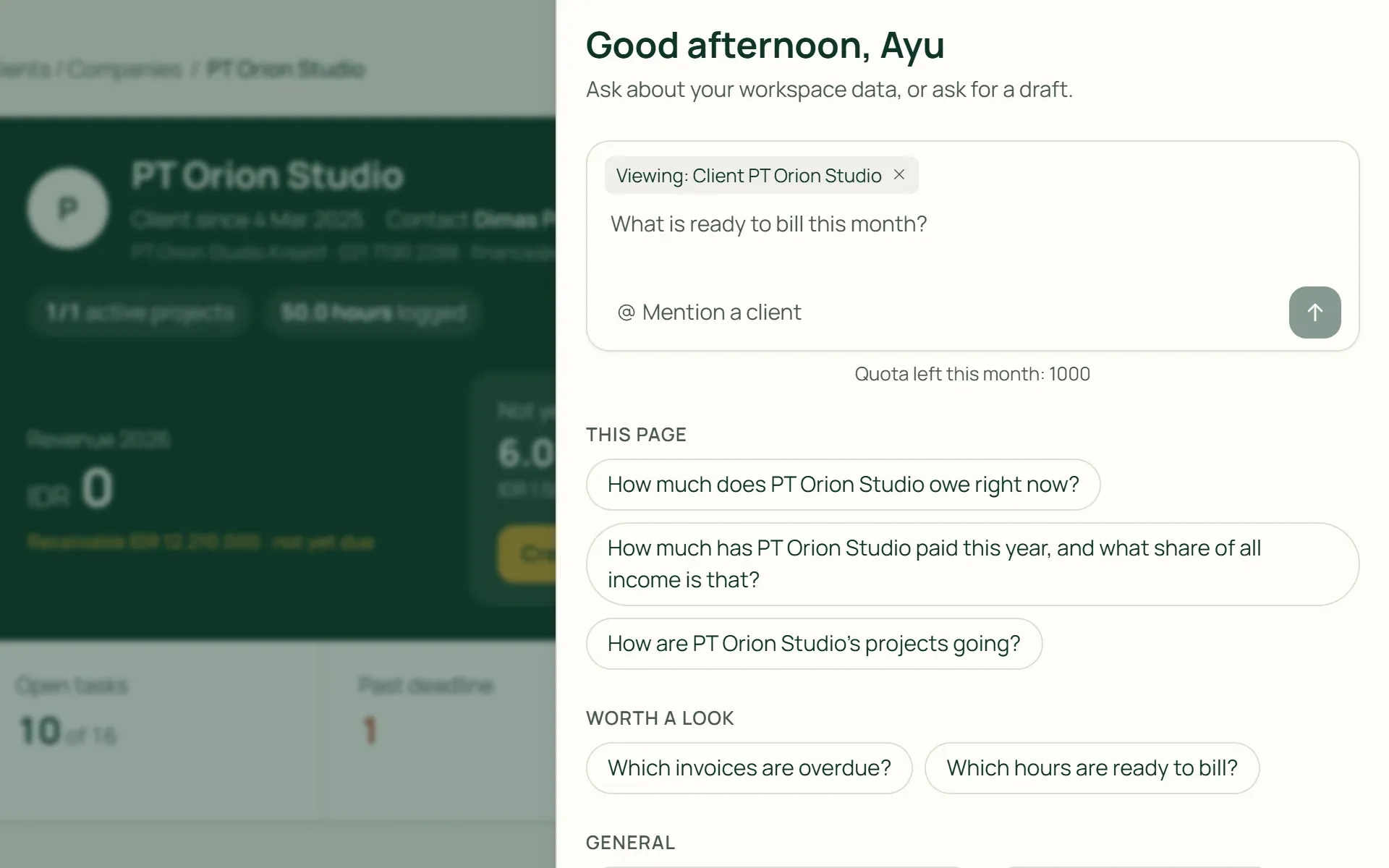
Ask from any page.
Open the assistant from the button in the corner of the screen. On a project, client, invoice, sales order, or stock item page, the assistant knows what you are looking at. Ready-made questions appear under This page, Worth a look, and General.
- This page
- Worth a look
- Name a client
02 · Answer
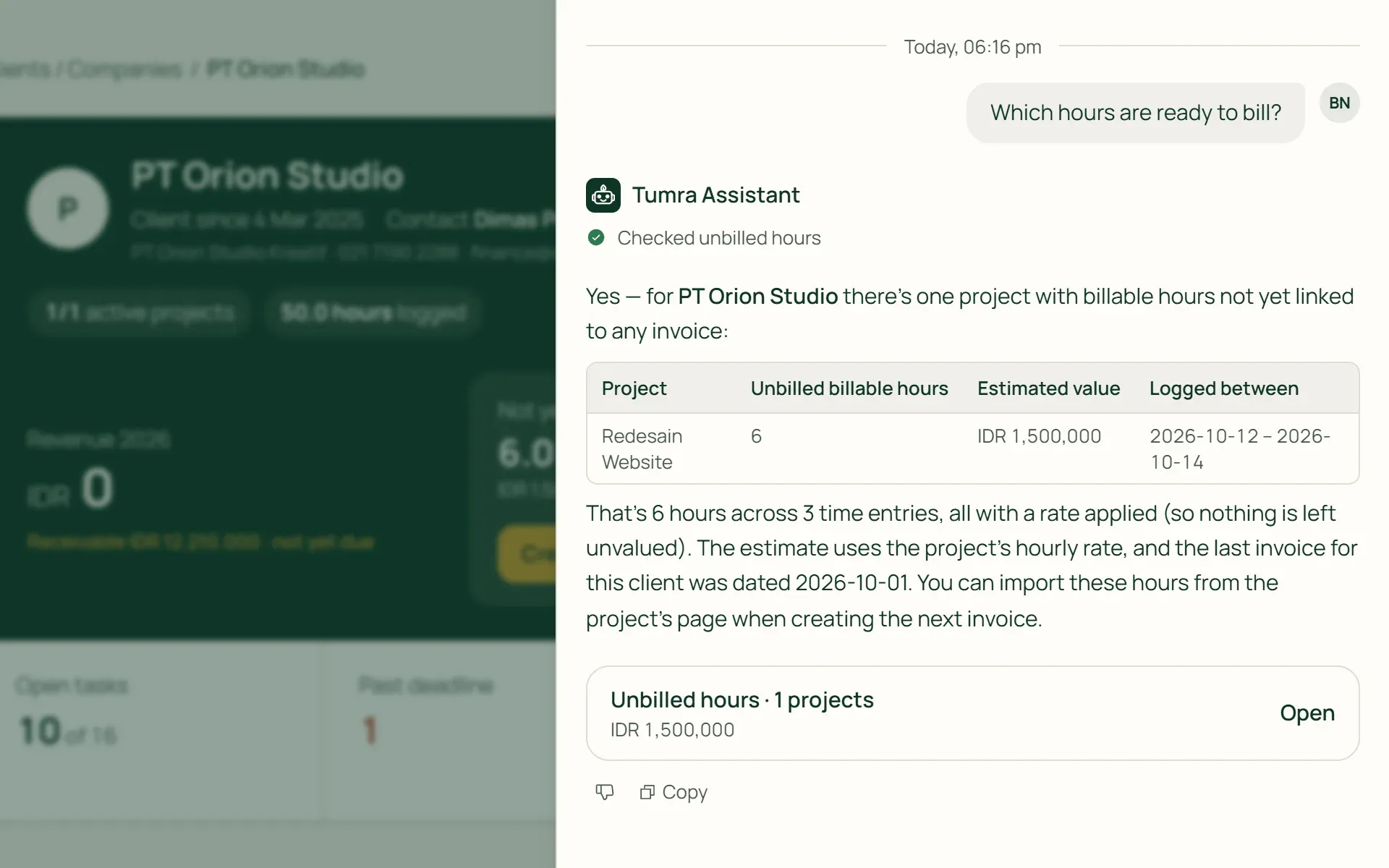
Numbers from your data, not guesses.
The assistant reads the same Tumra reports as your screens, then names the period. Below the answer comes a project card or an unbilled hours table, with a Bill button that opens the invoice form.
- Project card
- Unbilled hours
- Data source
03 · Draft
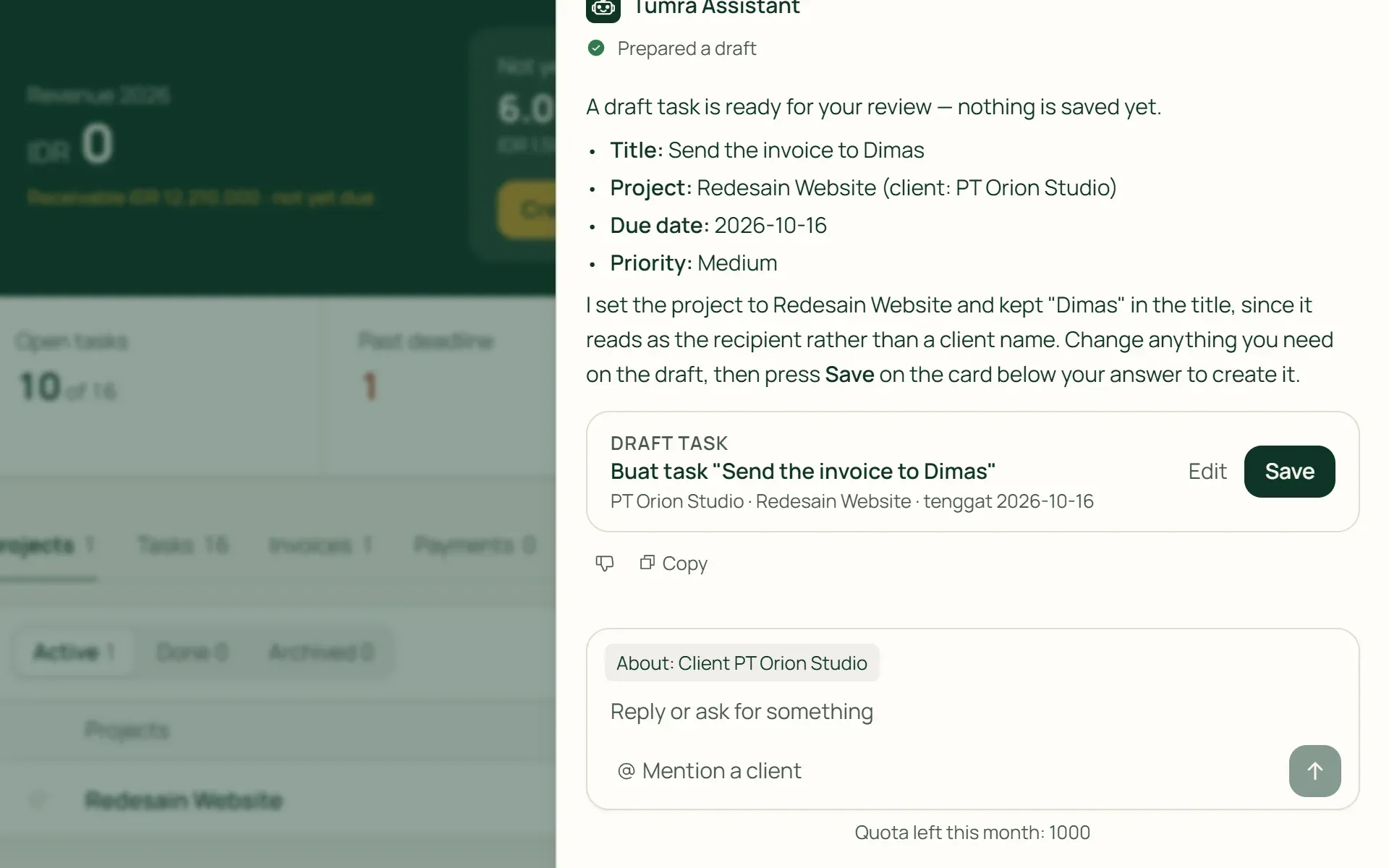
A draft first, saved once you agree.
Ask for a task, project, client, or time log in one sentence. Tumra puts together a draft card. Save creates the record, and Edit opens the usual form already filled in. Drafts that aren't saved expire after an hour.
- Save
- Edit
- One per draft
04 · Settings
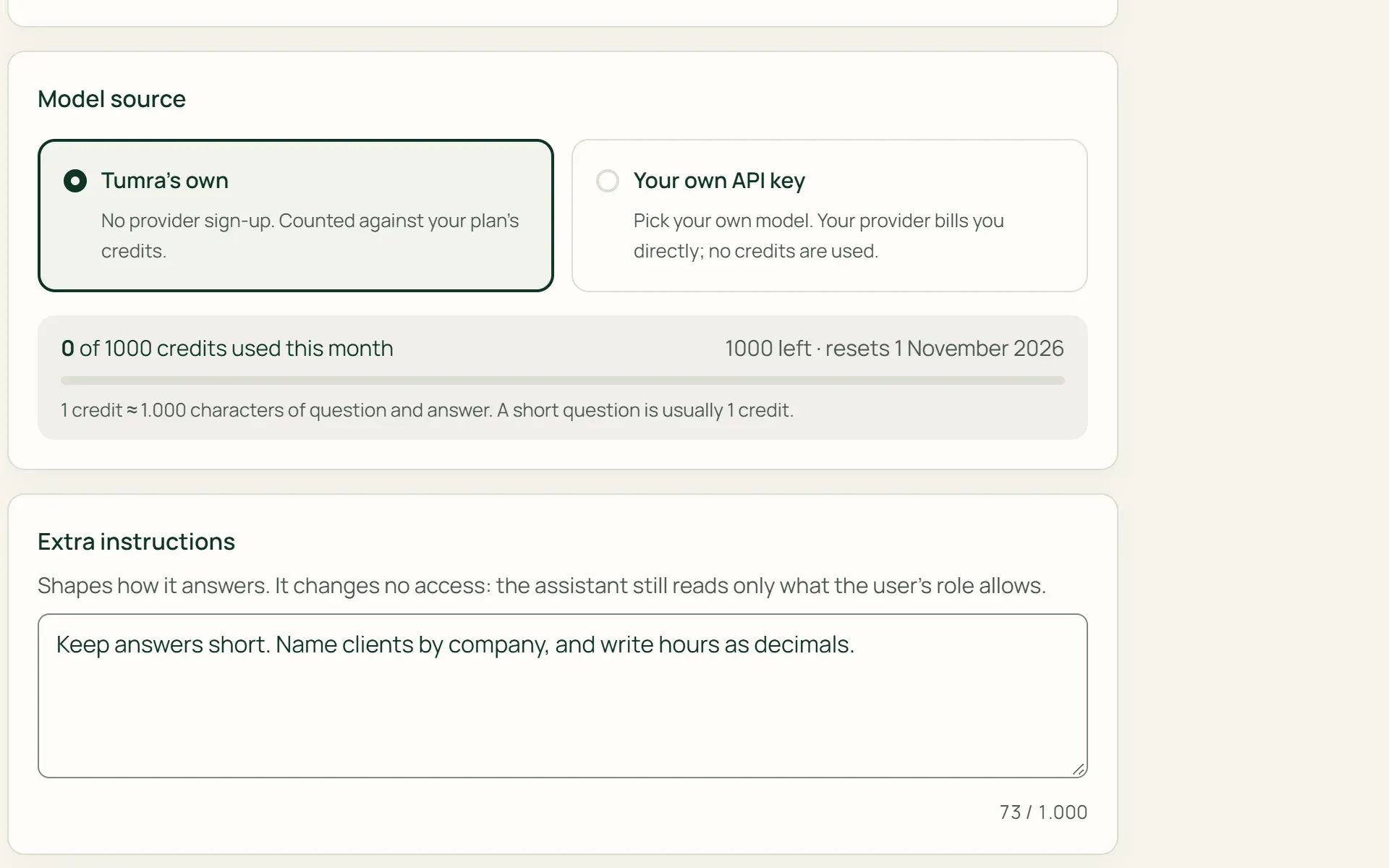
Tumra's own model or your own key.
An Owner or Admin turns the assistant on, renames it, and writes instructions for how it answers. Choose Tumra's own, which uses credits, or an API key from Google Gemini, OpenAI, DeepSeek, Groq, OpenRouter, or an OpenAI-compatible service.
- Tumra's own
- Your own API key
- Extra instructions
05 · MCP
Use Tumra from Claude or ChatGPT.
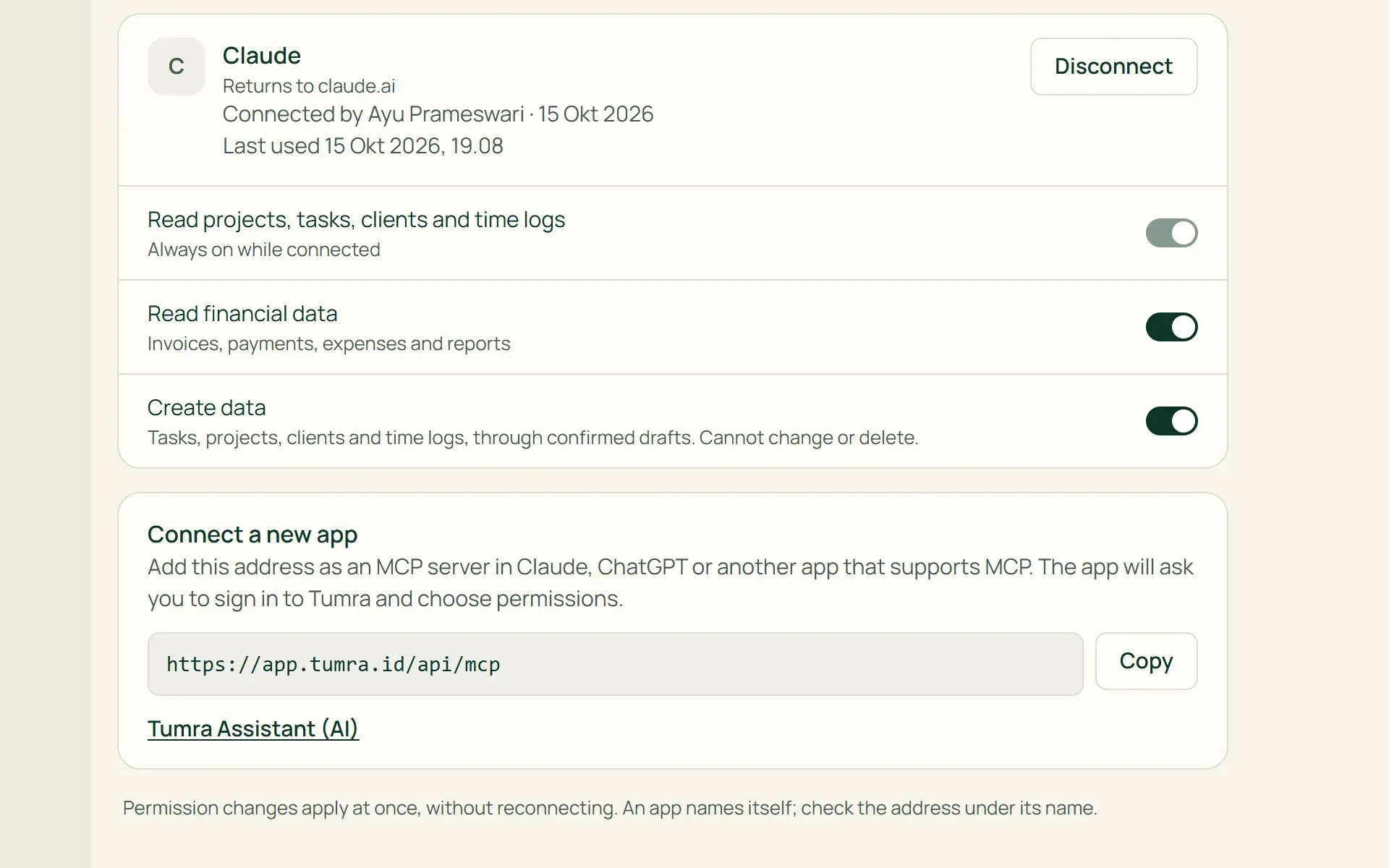
Copy the MCP server address, add it as a connector in your AI app, then sign in to Tumra and choose its permissions. Financial data and creating data stay off until you tick them. This connection uses no credits.
- Financial data
- Create data
- Disconnect
What you can do
AI that helps, within clear limits.
Finances and receivables
Net profit, this year's projected revenue, receivables ageing, unpaid invoices, and expenses. Only for roles with finance access.
Projects and hours
Projects that need attention, overdue tasks, hours against estimates, your own hours, and hours ready to bill per client.
Explaining accounting terms
Ask "what are accounts payable?" and the assistant answers from Help Centre articles, with links, then shows your own numbers where relevant.
Changes nothing on its own
The assistant can't change, delete, or create invoices. Drafts are only for tasks, projects, clients, and time logs, up to 20 an hour per person.
Follows your access rights
Staff only read the projects and clients shared with them. Money figures are only for roles with finance access. Extra instructions don't open up new access.
Conversations kept for 30 days
Continue or search old conversations. They are kept for 30 days, the last 20 per person, can only be opened by you, and can be deleted at any time.
For shops and wholesalers
Ask about sales and stock without opening reports.
On the Retail Starter, Retail, and Bisnis plans, the assistant reads the same retail reports as the Reports menu: sales, margin per product, stock health, purchasing, and wholesale orders. Shop questions are answered from shop numbers, not worked out from the general profit and loss.
- Sales and marginSales by channel, customer, location, or payment method, plus the best-selling products and the lowest margins.
- Stock healthStock running low, out of stock, or nearing expiry, and stock counts still in progress, per location.
- Purchasing and wholesaleLate POs, supplier price changes, and orders not yet shipped or not yet invoiced.
The assistant reads from the features you use.
Invoices & billing
Unbilled hours from the assistant's answer open straight in the invoice form.
Learn more →Projects & tasks
Draft tasks and projects only go into projects you're allowed to open.
Learn more →Dashboard, search & help
Help Centre articles become source material for "what is" questions.
Learn more →
Plans
AI on every plan.
During the trial, built-in credits are limited to 50 a month; the plan's full credits apply after the first payment.
| Feature | FreeRp 0/moRp 0/yr | FreelancerRp 129,000/moRp 1,290,000/yr | AgencyRp 349,000/moRp 3,490,000/yr | StarterRp 179,000/moRp 1,790,000/yr | RetailRp 349,000/moRp 3,490,000/yr | BisnisRp 499,000/moRp 4,990,000/yr |
|---|---|---|---|---|---|---|
| Tumra's own model | Not included | Not included | Included | Not included | Included | Included |
| AI credits a month | Not included | Not included | 300 | Not included | 300 | 300 |
| AI credits on Pro | Not included | Not included | 1,000 | Not included | 1,000 | 1,000 |
| Your own API key | Not included | Included | Included | Included | Included | Included |
| Buy extra credits | Not included | Not included | Included | Not included | Included | Included |
| MCP connection | Not included | Included | Included | Included | Included | Included |
| Ask about projects & hours | Not included | Included | Included | Not included | Not included | Included |
| Ask about shop & stock | Not included | Not included | Not included | Included | Included | Included |
Retail Free has neither the AI assistant nor MCP.
FAQ
Common questions
Where is my data sent when I ask a question?
The assistant only reads your workspace, within the limits of your role. Your question and the data it reads are sent to an AI model provider to put the answer together: Tumra’s own provider, or the provider you chose if you use your own API key. Conversations are kept in Tumra for 30 days and can only be opened by you, not by the Owner or Admin.
How many credits does a question use?
One credit is roughly 1,000 characters of question and answer, with at least one per question. A short question usually takes one credit. Failed answers aren’t counted. Plan credits renew at the start of every month. Extra credits are bought in Plan & Billing (100, 500, or 2,000 credits) and don’t expire at the end of the month.
What is bring-your-own-key (BYOK)?
You plug in an API key from your own AI provider (Google Gemini, OpenAI, DeepSeek, Groq, OpenRouter or any OpenAI-compatible service) and pick the model in Settings → Tumra Assistant (AI). The provider bills you directly, so no Tumra credits are used, and the key is stored encrypted and never shown again. It’s available from the Freelancer plan up.
Can the assistant create invoices or change data?
No. The assistant only prepares drafts of tasks, projects, clients, and time logs, and the data is only created after you press Save. Changing, deleting, and creating invoices still happens on Tumra’s own screens. For hours ready to bill, the Bill button opens the invoice form with those hours already ticked.
Can I use Tumra from Claude or ChatGPT?
Yes, from the Freelancer plan up, over MCP: the AI app asks for permission, and on the consent screen you decide whether it may also read financial data and create tasks, projects, clients or time logs. Without that it only reads operational data within your own access, and it can never edit, delete or create invoices. The connection doesn’t use credits and can be disconnected any time in Settings → Connected AI Apps.
Can the assistant answer in English?
Yes. The assistant answers in the interface language you choose, Indonesian or English. Names, numbers, and figures from your data are left as they are. The Help Centre articles it draws on are still in Indonesian.
Ask about your first number today.
Try every Tumra feature free for 30 days, no credit card needed.