Tables & open bills
See every table at a glance.
Open bills per table, move or merge tables, server mode, and split bills at payment.
Business kinds
ShopMinimarkets, boutiques, distributorsF&BRestaurants, cafés, cateringServicesSalons, workshops, laundries, clinicsProfessionalAgencies, consultants, freelancersIntegratedServices and goods in one businessSee all business typesBusiness types
Features for Shop
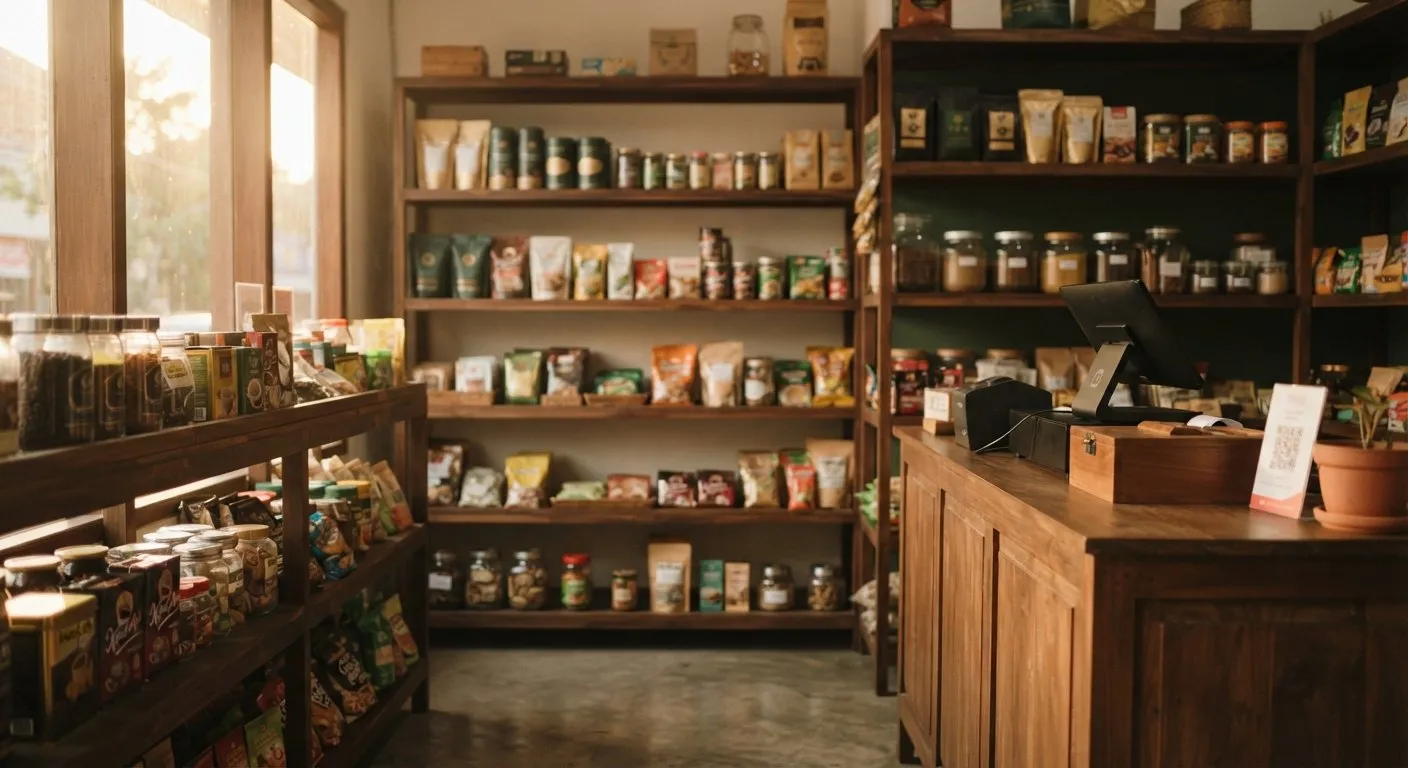 Tumra for ShopFrom checkout to profit and loss, starting on the Free plan.See the Shop solution
Business types
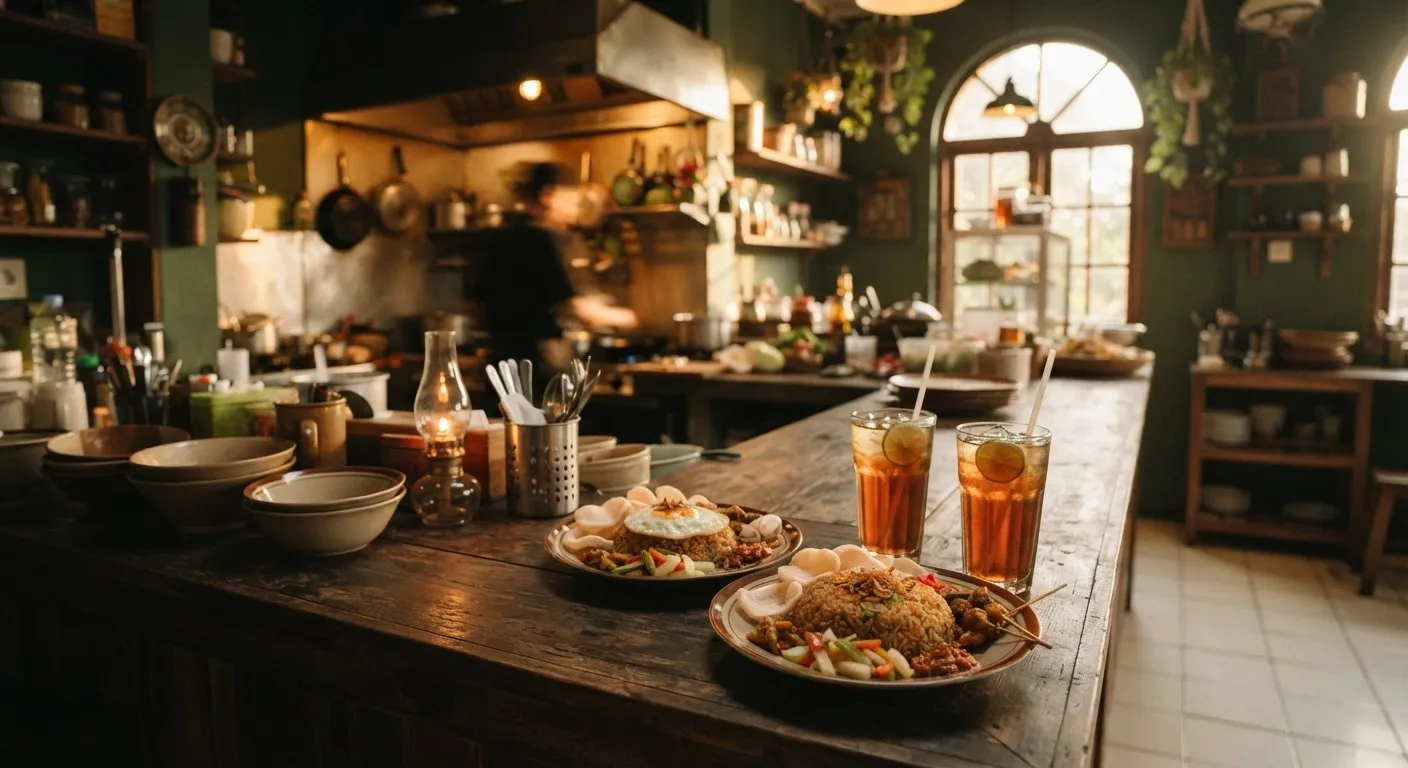 Tumra for F&BFrom table orders to cost per dish, starting on the Free plan.See the F&B solution
Business types
Features for Services
 Tumra for ServicesStaff commission and prepaid packages recorded for you, starting on the Free plan.See the Services solution
Business types
Features for Professional
 Tumra for ProfessionalHours become invoices, invoices become profit and loss, starting on the Free plan.See the Professional solution
Business types
Features for Integrated
 Tumra for IntegratedServices and goods in one set of books, starting on the Plus plan.See the Integrated solution
OperationsFree
Projects & servicesFree
Finance & accountingPaid
InsightPaid

Solutions
Business types · Shop
Business types · F&B
Business types · Services
Business types · Professional
Business types · Integrated
See all business types →Features
Operations · Free
Projects & services · Free
Finance & accounting · Paid
Insight · Paid
See all features →Tumra for restaurants, cafés & catering
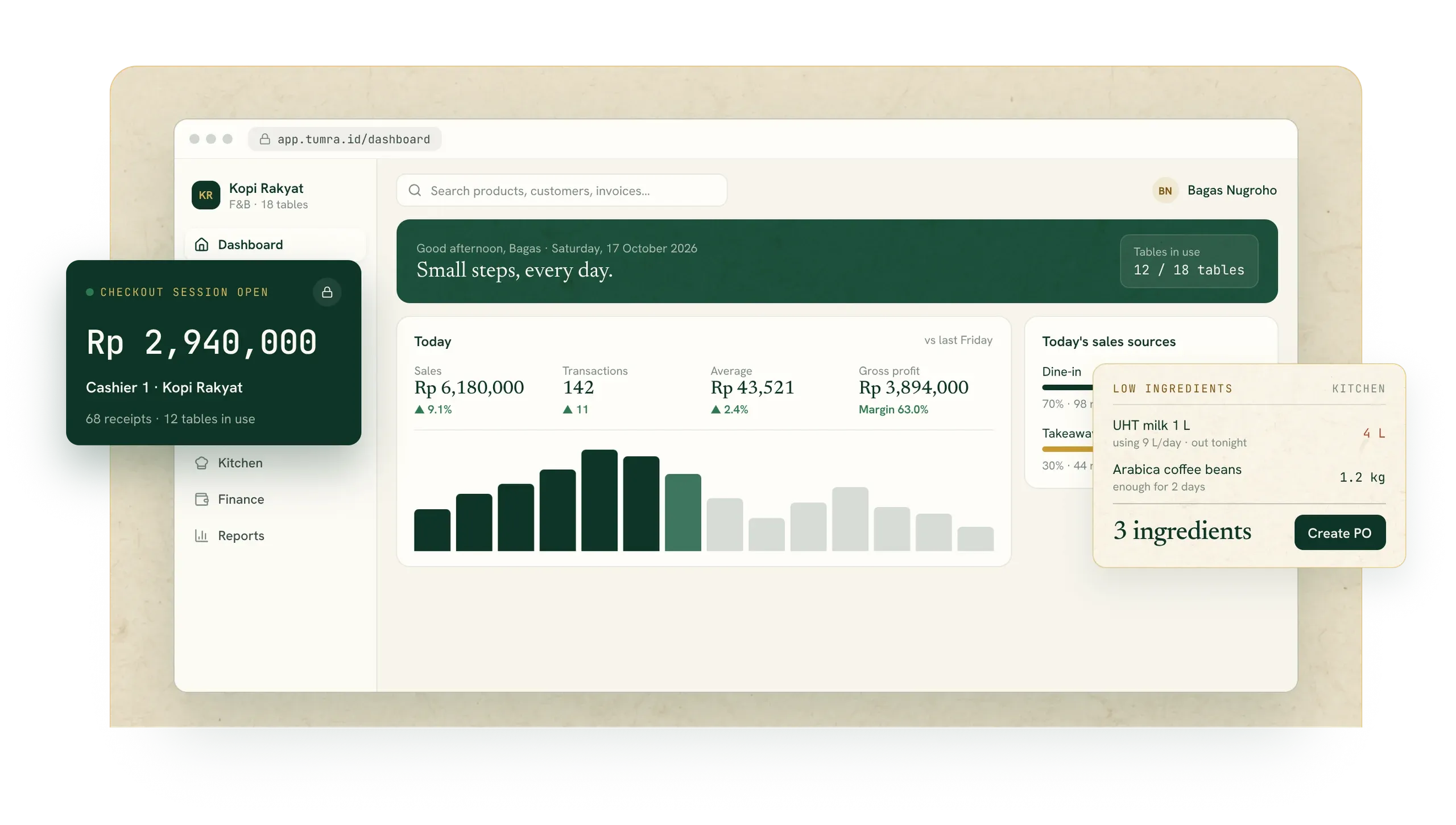
For restaurants, cafés, food stalls, and caterers. Table orders, the kitchen display, ingredient stock, and COGS from recipes are connected — every receipt goes straight into your books.
Food business challenges
Orders come in from tables, takeaway, and online. Ingredient prices change every week. Without connected recipes and stock, profit per menu item is just a guess.
01A best-seller, but is it profitable?
COGS is worked out from each item’s recipe, so you see the margin per portion from daily sales.
COGS from recipes02Ingredients running out mid-rush?
Ingredient stock goes down by the recipe every time an item sells. Low ingredients show up early, and a PO can be created straight from the list.
Ingredient stock03Table orders mixed up or missed?
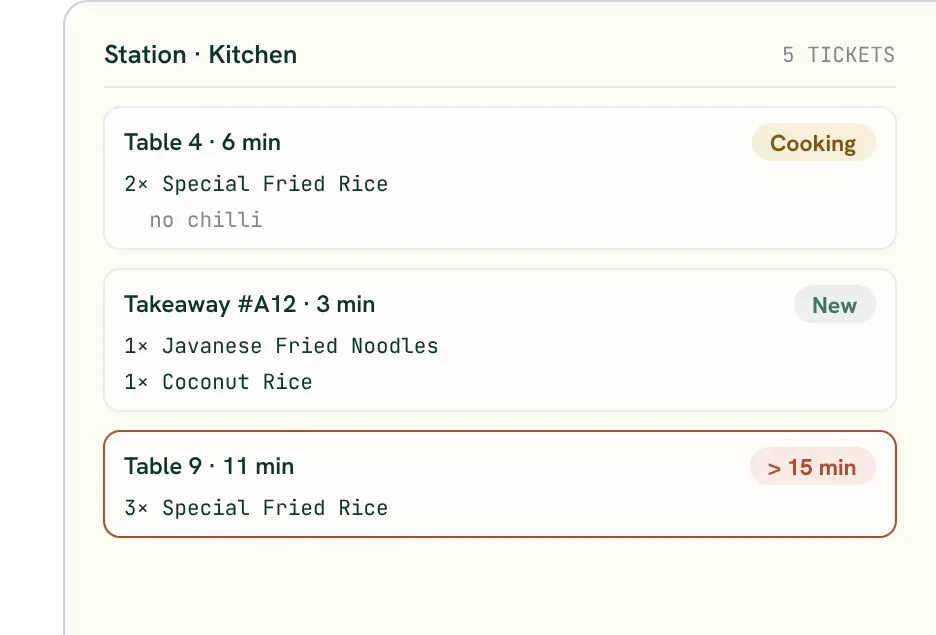
Tickets go to each kitchen and bar station, with the table number and notes.
Kitchen display04Ingredient prices up, margins shrinking?
Each ingredient’s purchase price history per supplier is recorded, and increases show when you create a PO. Low-margin items are flagged in reports.
Supplier pricesF&B flow
Build your menu with its recipes: the ingredients and quantity per portion set stock and COGS.
See Products & stockIngredient stock goes down every time an item sells. Low ingredients show up before they run out.
See Products & stockDine-in or takeaway, queue numbers, open bills per table, and split payments. Tickets go straight to the kitchen and bar.
See Point of saleTickets per station — kitchen, grill, or bar — with Cooking and Ready status visible at checkout.
See Point of saleCreate a PO from low ingredients, receive the goods, and record what you owe the supplier.
See Sales & purchasingEvery receipt and purchase becomes a journal. Profit and loss, the balance sheet, and the tax summary build themselves.
See Accounting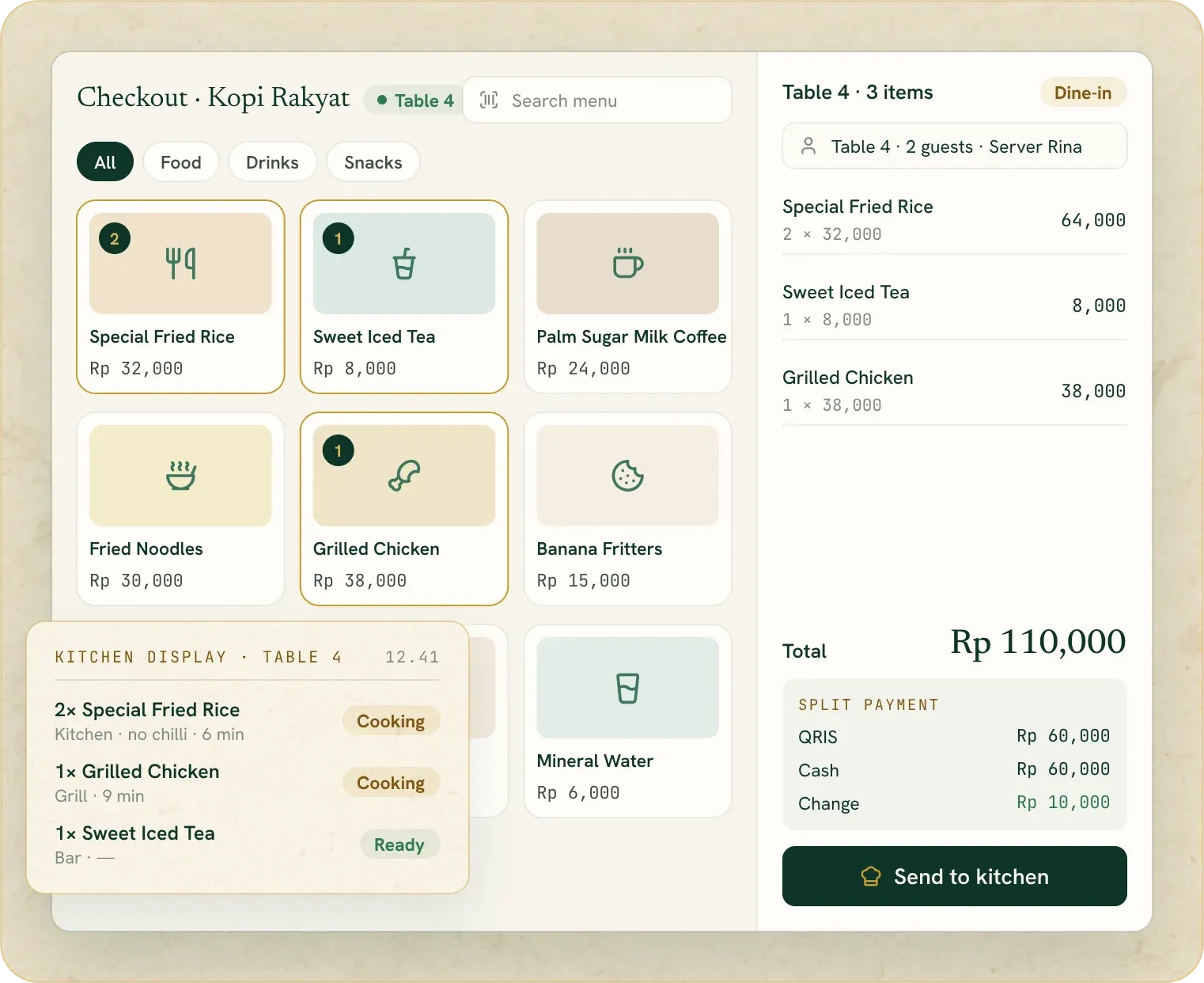
Tables, kitchen & recipes
Tables, kitchen tickets, and recipes are connected. Every portion sold reduces ingredients and records its own COGS.
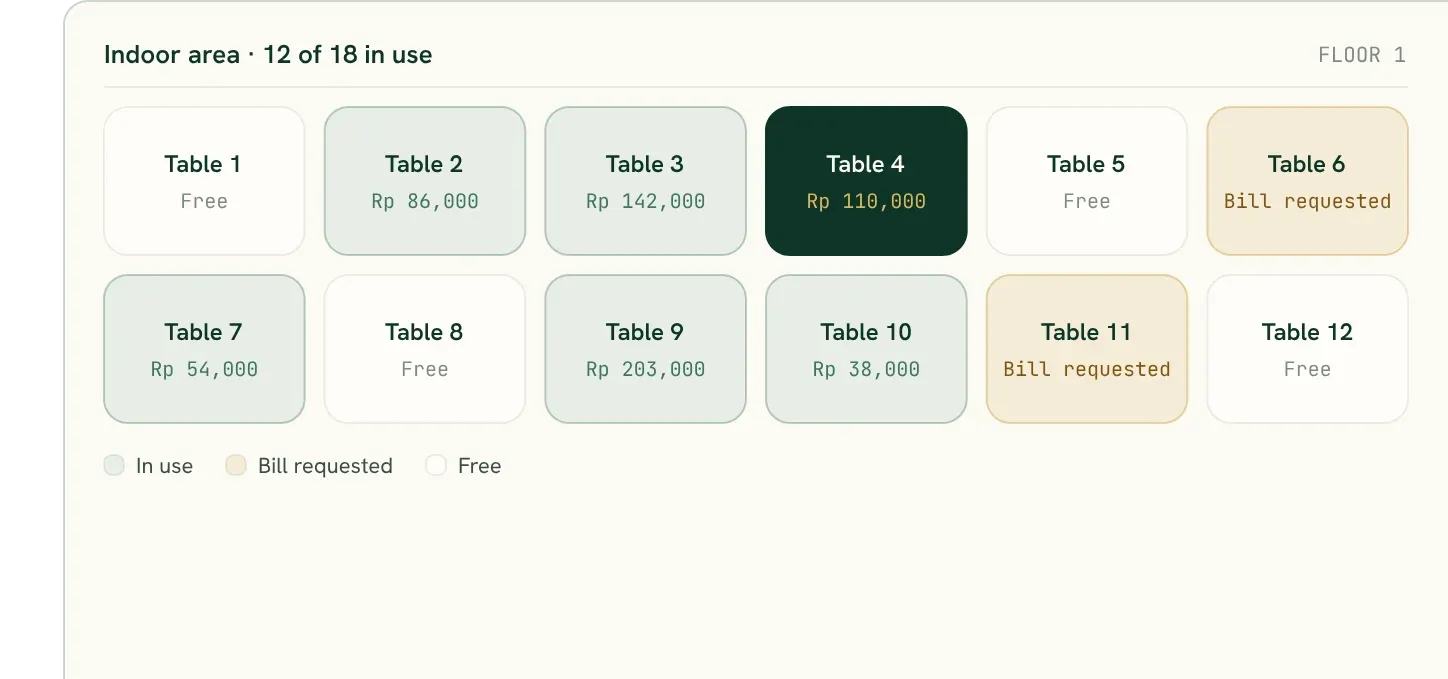
Tables & open bills
Open bills per table, move or merge tables, server mode, and split bills at payment.
Kitchen display
Items are routed to the kitchen, grill, or bar. Ready status shows at checkout straight away.
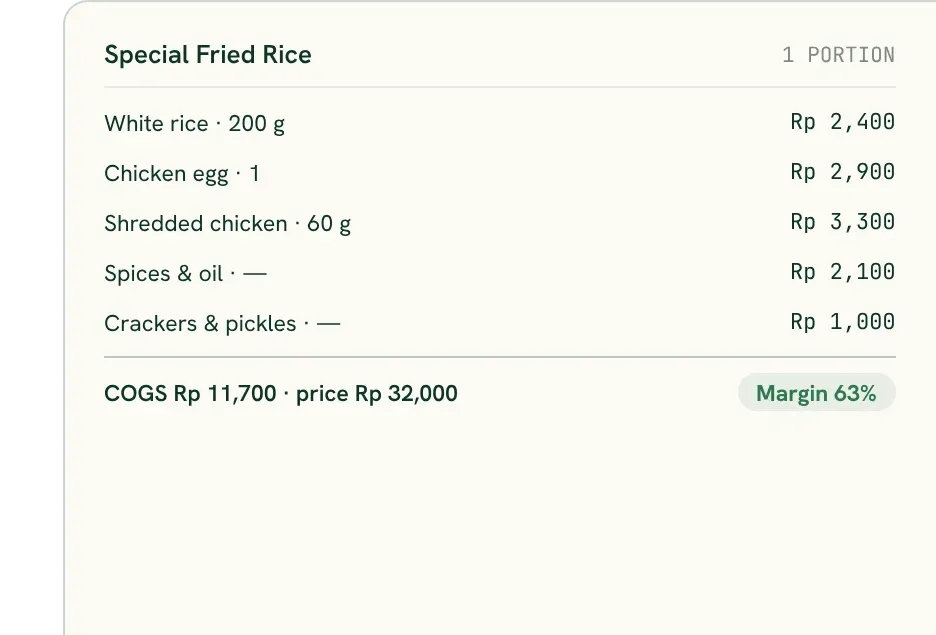
COGS from recipes
The recipe sets which ingredients go down and the COGS per portion, worked out from the average cost of the ingredients.
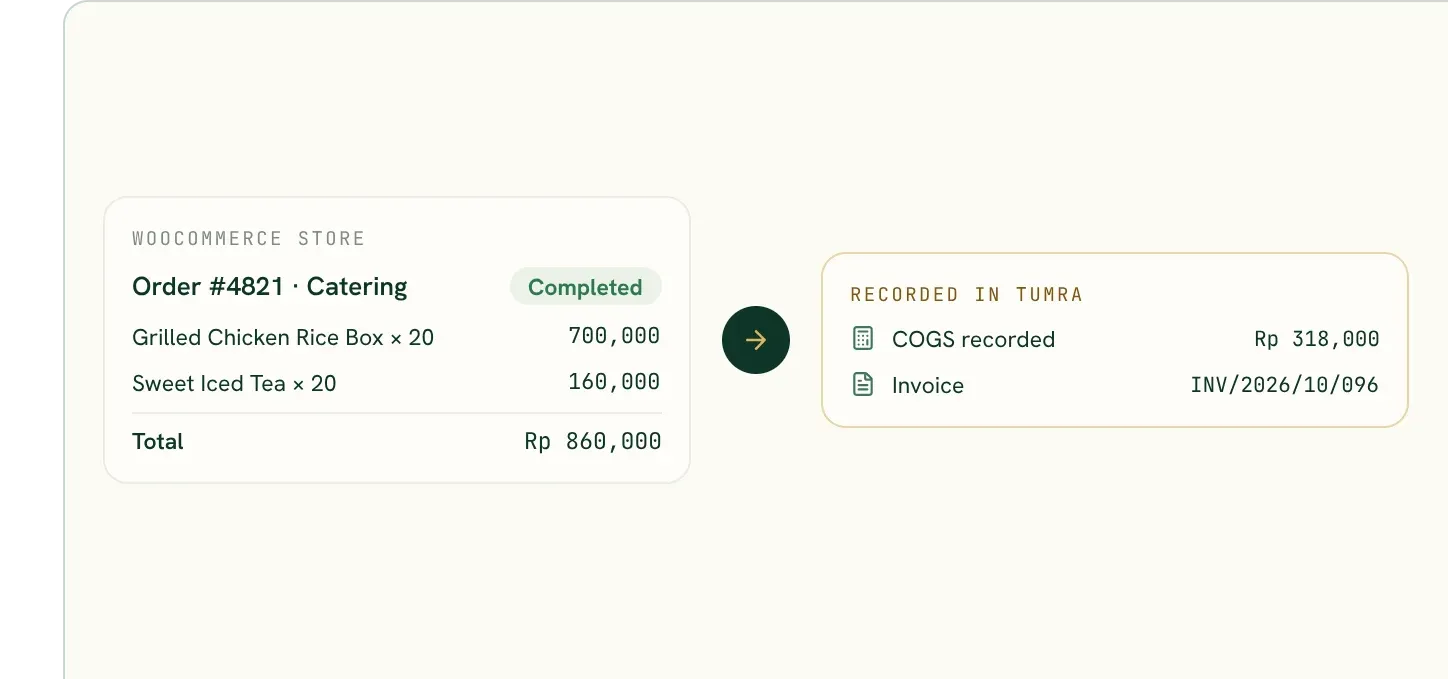
Online orders
WooCommerce orders automatically become invoices, with payment, stock, and COGS. Catering orders go in the schedule, with the deposit taken at checkout.
Tumra Assistant
Ask which items make the most profit, which ingredients are low, or your busiest hours. Answers come from your own sales and recipes.
Read-only or read-write access per connector. Revoke any time.
Business types
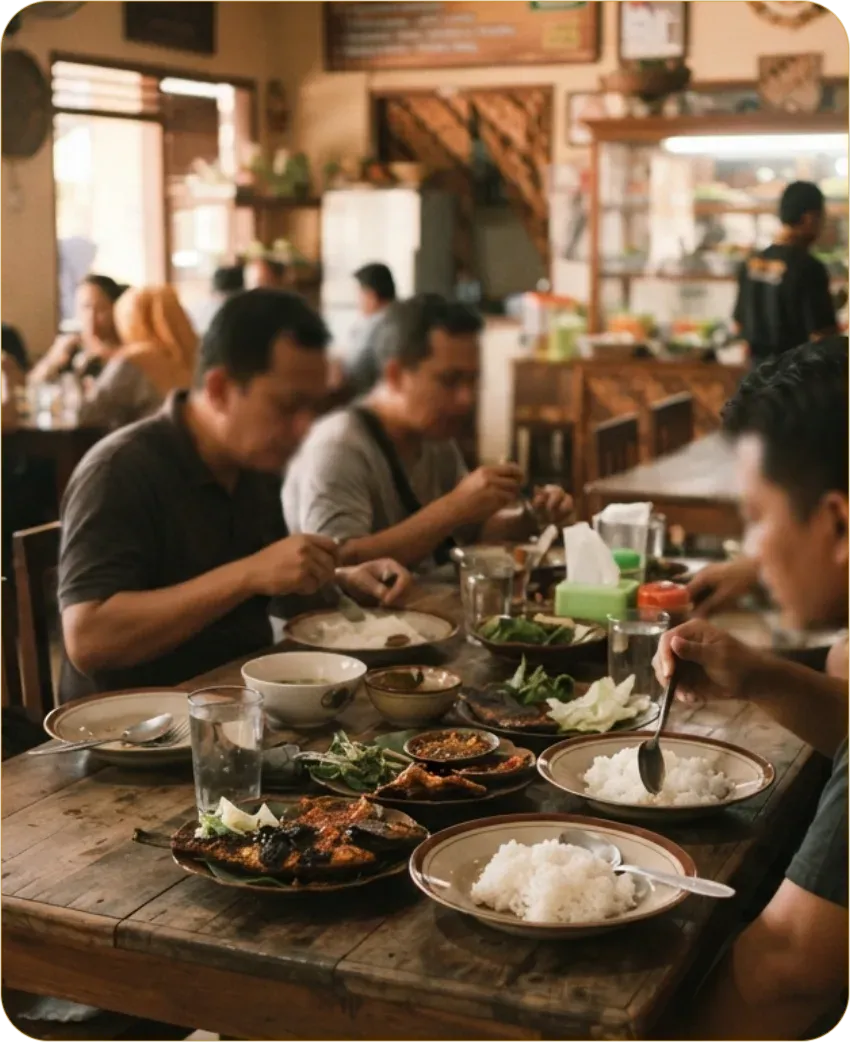 RestaurantsFor sit-down restaurants: servers take orders on their phones, tickets reach the kitchen display by station, bills can be split by item or evenly, and the food cost of every plate comes from its recipe.See how
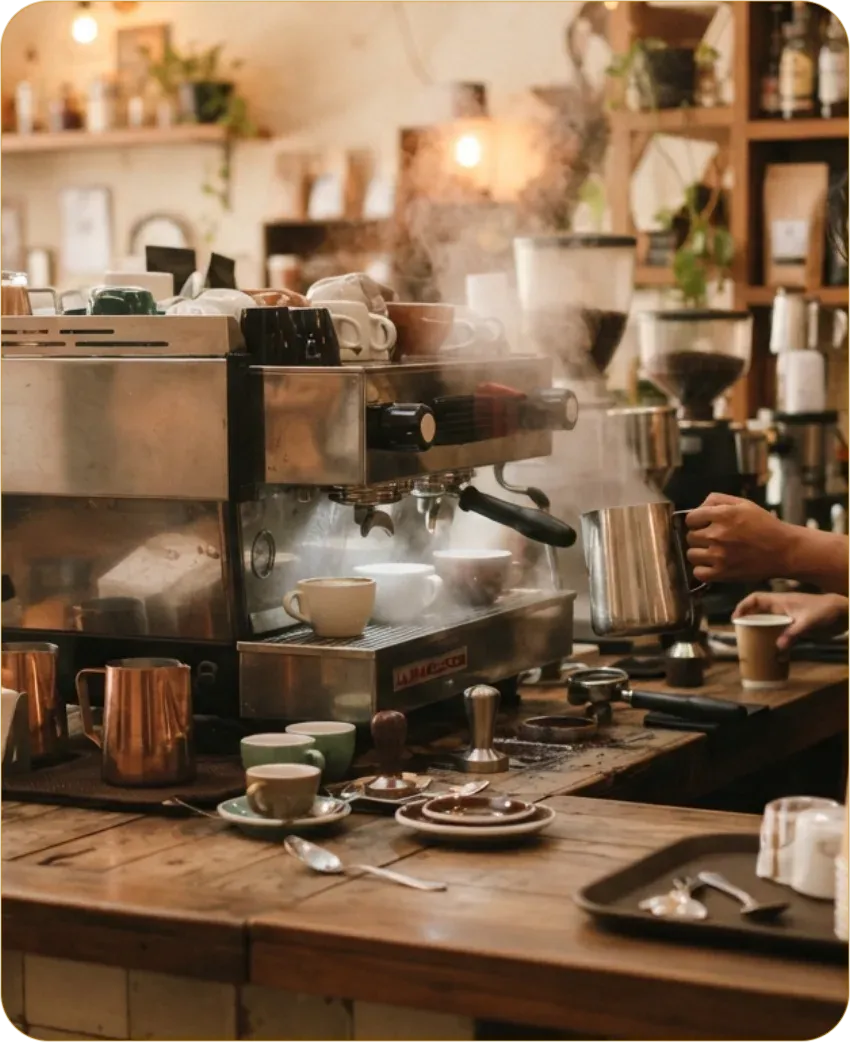 Cafés & coffee shopsFor cafés and coffee shops where customers order and pay at the counter: queue numbers, a bar display, and the cost of every cup from its grams and millilitres.See how
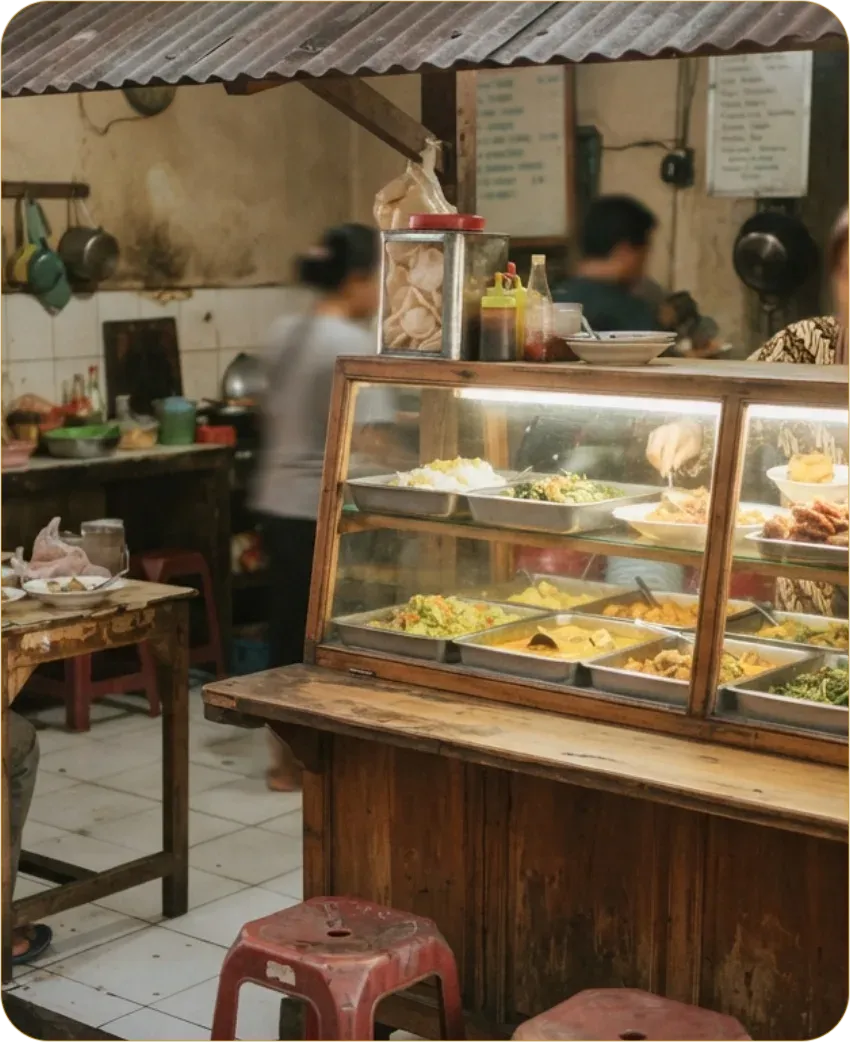 Food stallsFor food stalls and small eateries: a till with queue numbers, the cost of each dish from its recipe and your market prices, and daily profit without adding it up in a notebook.See how
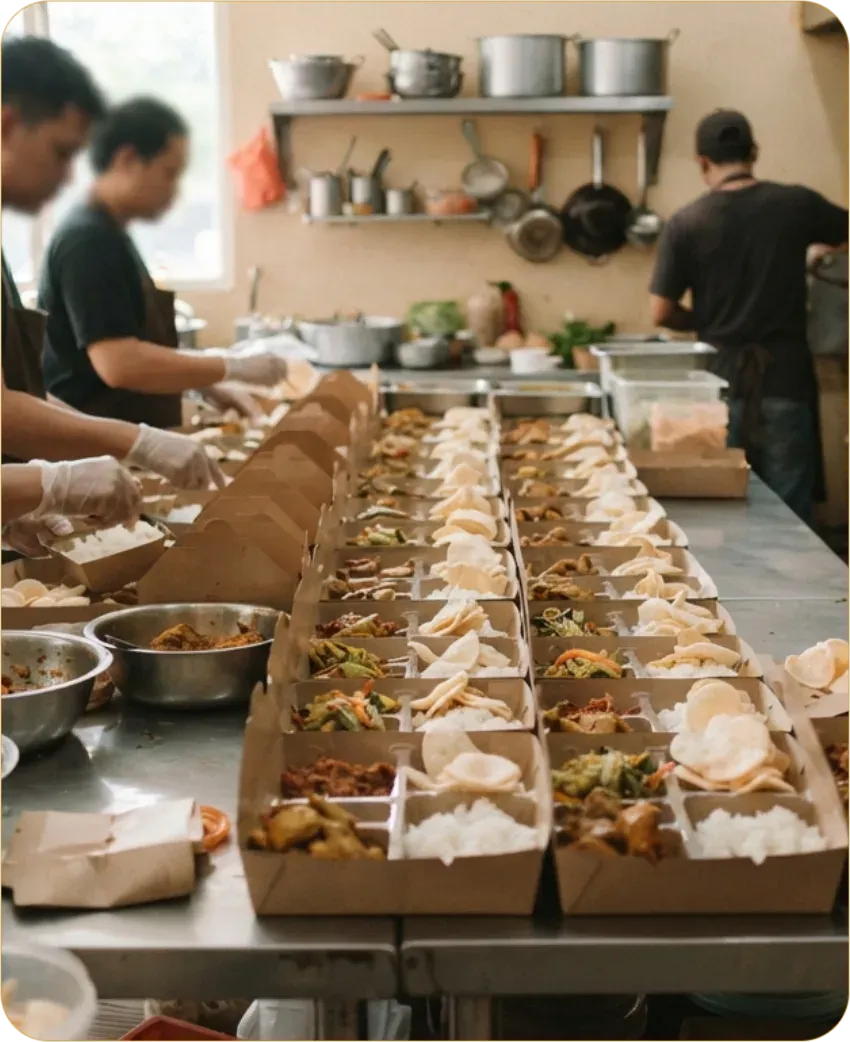 CateringFor caterers and boxed meals: production from recipes with the cost per box, delivery notes and invoices on payment terms for offices, and event orders with a deposit.See how
F&B plans
Try any paid plan free for 30 days, no credit card.
For cafés and food stalls: checkout, kitchen, and ingredient stock.
Early adopterRegular priceRp 179,000Rp 1,790,000Price now
Rp71,600Rp716,000/month/year
60% off for lifesave Rp 107,400/monthsave Rp 1,074,000/year
Cancel anytimeBilled annually · Rp 59,667/month
For restaurants with tables, servers, and several checkouts.
Early adopterRegular priceRp 349,000Rp 3,490,000Price now
Rp139,600Rp1,396,000/month/year
60% off for lifesave Rp 209,400/monthsave Rp 2,094,000/year
Cancel anytimeBilled annually · Rp 116,333/month
Everything in Starter, plus
For food businesses with several branches.
Early adopterRegular priceRp 699,000Rp 6,990,000Price now
Rp279,600Rp2,796,000/month/year
60% off for lifesave Rp 419,400/monthsave Rp 4,194,000/year
Cancel anytimeBilled annually · Rp 233,000/month
Everything in Plus, plus
Free, forever
F&B Free: one user, one checkout, 200 products, and 500 sales a month, with dine-in or takeaway and queue numbers.
All prices are in Rupiah and include PPN (VAT). The early adopter discount applies to plan charges; extra users and checkout locations are billed at the regular price.Compare all features
FAQ
Can’t find the answer? Send your question by email or through the contact form.
Yes. Each menu category can be routed to a station such as the kitchen, grill, or bar. Tickets appear on that station’s display with the table number and notes, and their ready status shows at checkout.
Yes. Each menu item can have a recipe with its ingredients and quantities. When the item sells, the ingredients come out of stock and the COGS per portion is worked out from the average cost of the ingredients.
Open bills per table, moving and merging tables, and server mode are on F&B Plus and Pro. At payment, the bill can be split by item or evenly, across several payment methods.
Yes. Dine-in and takeaway orders get a queue number, including on F&B Free.
Tumra’s checkout runs in the browser and needs an internet connection. An offline mode for checkout is being prepared.
Yes. Catering orders go in the schedule with their pickup date, the deposit is paid at checkout, and the balance is recorded as a receivable. Dated orders built specifically for catering are being prepared.
Tumra for Shops
Also selling packaged goods?
Checkout, stock, wholesale, and WooCommerce for businesses that sell goods.
Tumra for Services
A service business with staff?
Salons, barbershops, workshops, and laundries: staff commission and prepaid packages.
Get started
Run your food business’s checkout, tables, kitchen, ingredient stock, and bookkeeping in one place. Try free for 30 days.
