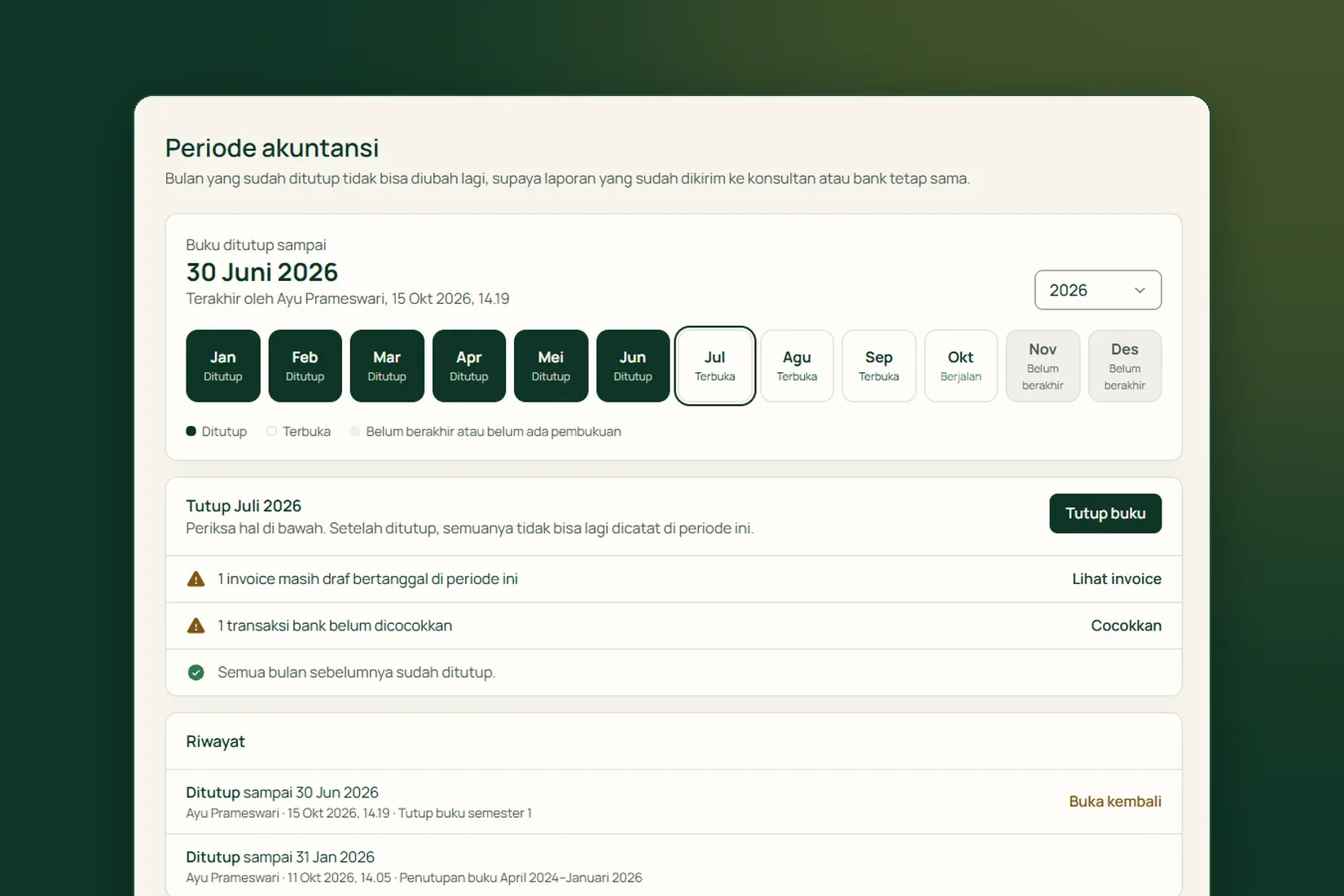
In Tumra, tax is not a separate record. Every rupiah of tax is posted as a journal line to a tax account, and the Tax page reads those same lines back. That is why the Tax page can never disagree with your trial balance.
This is general information about how Tumra records VAT (PPN) and income tax (PPh), not tax advice. Confirm your own obligations with a tax adviser. Account names below are Tumra’s Indonesian defaults, shown with their codes.
Start with tax types
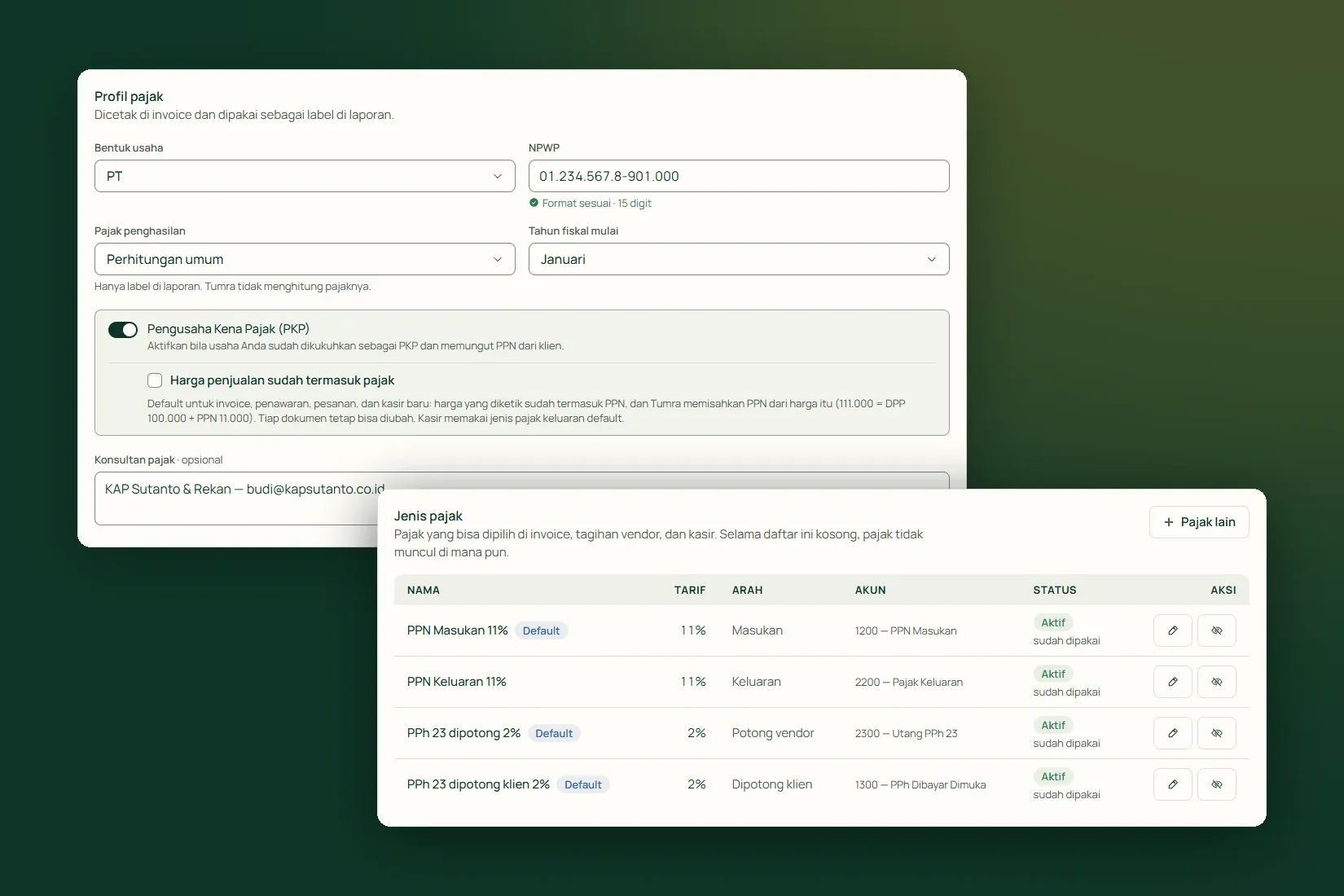
Tax only appears on invoices, vendor bills and the counter once a tax type exists. An Owner or Admin creates them under Settings → Tax. The Quick add section offers ready-made options, and rates can be changed after they are added. Each tax type has a Direction, which decides the account it posts to:
- Output, VAT collected from clients: Pajak Keluaran (2200), a liability.
- Input, VAT paid to suppliers that you can reclaim: PPN Masukan (1200), an asset.
- Withheld by clients, such as PPh 23: PPh Dibayar Dimuka (1300), an asset.
- Withheld from vendors (PPh 23): a PPh 23 payable account, a liability.
Each account serves one direction only, so no rupiah is counted twice. A tax type that has been used cannot change its rate. For a new rate, create a new tax type; older transactions keep the old one.
Output VAT on invoices
Choose the Tax Type in the Discount, tax & payment section of the invoice. For a Rp 10,000,000 invoice with 11% VAT, posting records:
- Debit Piutang Usaha, receivables (1100): 11,100,000
- Credit Pendapatan Jasa, revenue (4000): 10,000,000
- Credit Pajak Keluaran, output tax (2200): 1,100,000
VAT never lands in revenue, because it is money held for the tax office. If the prices you type already include VAT, tick Prices include tax and Tumra splits out the base and the VAT. A business marked as a VAT-registered business (PKP) can make this the default with Selling prices include tax.
Input VAT on expenses
When you record an expense, enter the Amount that left your account, tax included, and choose the Input Tax. The tax is taken out of that amount, not added on top, and the split is shown before you save:
- Debit Beban Operasional, operating expenses (5000): 1,000,000
- Debit PPN Masukan, input VAT (1200): 110,000
- Credit Kas & Bank, cash and bank (1000): 1,110,000
If the expense is unpaid, the credit goes to Hutang Usaha, payables (2100) instead. A business that is not VAT-registered does not need an input tax type, so the whole amount is recorded as a cost.
Income tax withheld by clients
A client that withholds PPh 23 transfers less than the invoice total, and the gap is not an underpayment. When recording the payment, tick Client withheld PPh 23, choose its kind, enter the Amount withheld from the withholding slip, and the Withholding slip number if you have it. The payment amount is what actually reached the bank. For example, on a Rp 11,100,000 invoice, the client withholds Rp 200,000 and transfers Rp 10,900,000:
- Debit Kas & Bank, cash and bank (1000): 10,900,000
- Debit PPh Dibayar Dimuka, prepaid income tax (1300): 200,000
- Credit Piutang Usaha, receivables (1100): 11,100,000
The invoice is fully paid. Tumra does not calculate the withholding from a rate, so type the figure on the slip. Slips often arrive weeks later. Payments still without one are flagged Withholding slip missing under Payments Received, and Add withholding slip records the number without touching the journal.
Income tax you withhold from vendors
The reverse is recorded too. Mark a service vendor with We withhold PPh 23, and bills from that vendor are withheld when you record them as expenses. The expense form shows the working: the rate times the withholding base, which is the bill before VAT, and what is paid to the vendor. If the vendor has no tax ID, Tumra doubles the rate and says so on the form.
The withheld part is booked as PPh 23 payable, because you owe it to the tax office. Its deposit is recorded on the Tax page with Record deposit.
Reading the Tax page
Financial Reports → Tax shows Output VAT, Input VAT, the VAT difference and tax withheld by clients, followed by a By tax period list. Export produces an Excel file for your adviser. For VAT-registered businesses, the Tax Remittance panel records VAT payments, and the amount is calculated from the journals (output minus input), not typed in.
What Tumra does not do
- Create tax invoices (faktur pajak), tax returns or billing codes, or send anything to the tax office (DJP).
- Calculate income tax owed. The income tax option in the tax profile is only a label on reports.
- Filing stays with you or your adviser, using the figures and export files from Tumra.
Tumra records VAT and withholding tax as ordinary journals, then sums them up by tax period for your adviser. Try it free for 30 days →